
A new dashboard, a new guest menu, a guided setup, six languages
A new dashboard
Everything you run your store from has been rebuilt. Home opens on Today: the day's Orders, Revenue, how many are Waiting, and whether your store is open right now, with your QR code beside it, ready to download. The sidebar groups the rest by what you're doing: Live and History for orders; Menus, Store and Ordering for your menu and store; Marketing to bring guests back; Report and Customers to see how it's going.
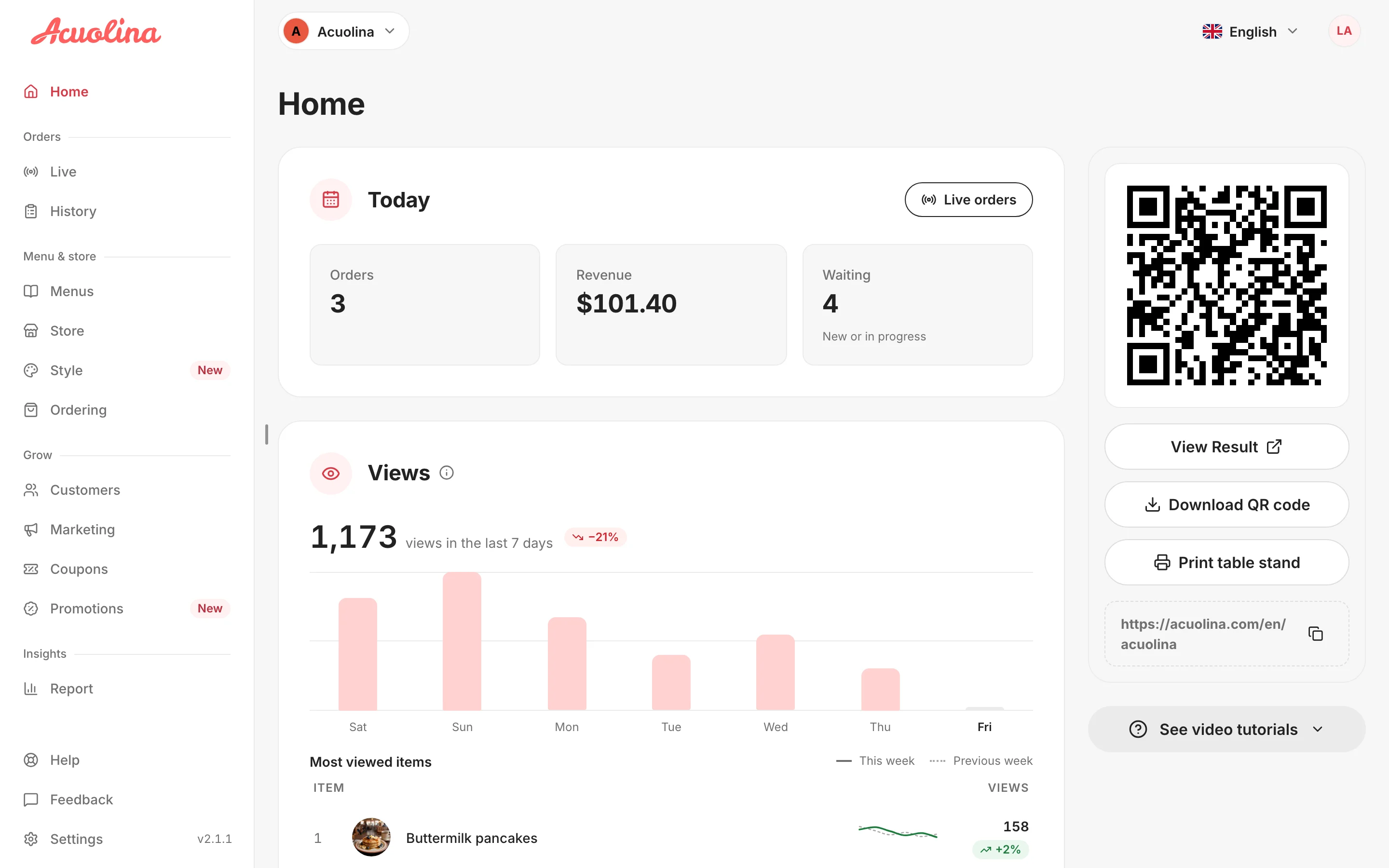
Store keeps your profile, opening hours, location and currency in one place. Ordering has a tab for each way guests order, at the table, for pick-up or for delivery, with your delivery fees on the delivery tab.
Edit your menu with a live preview
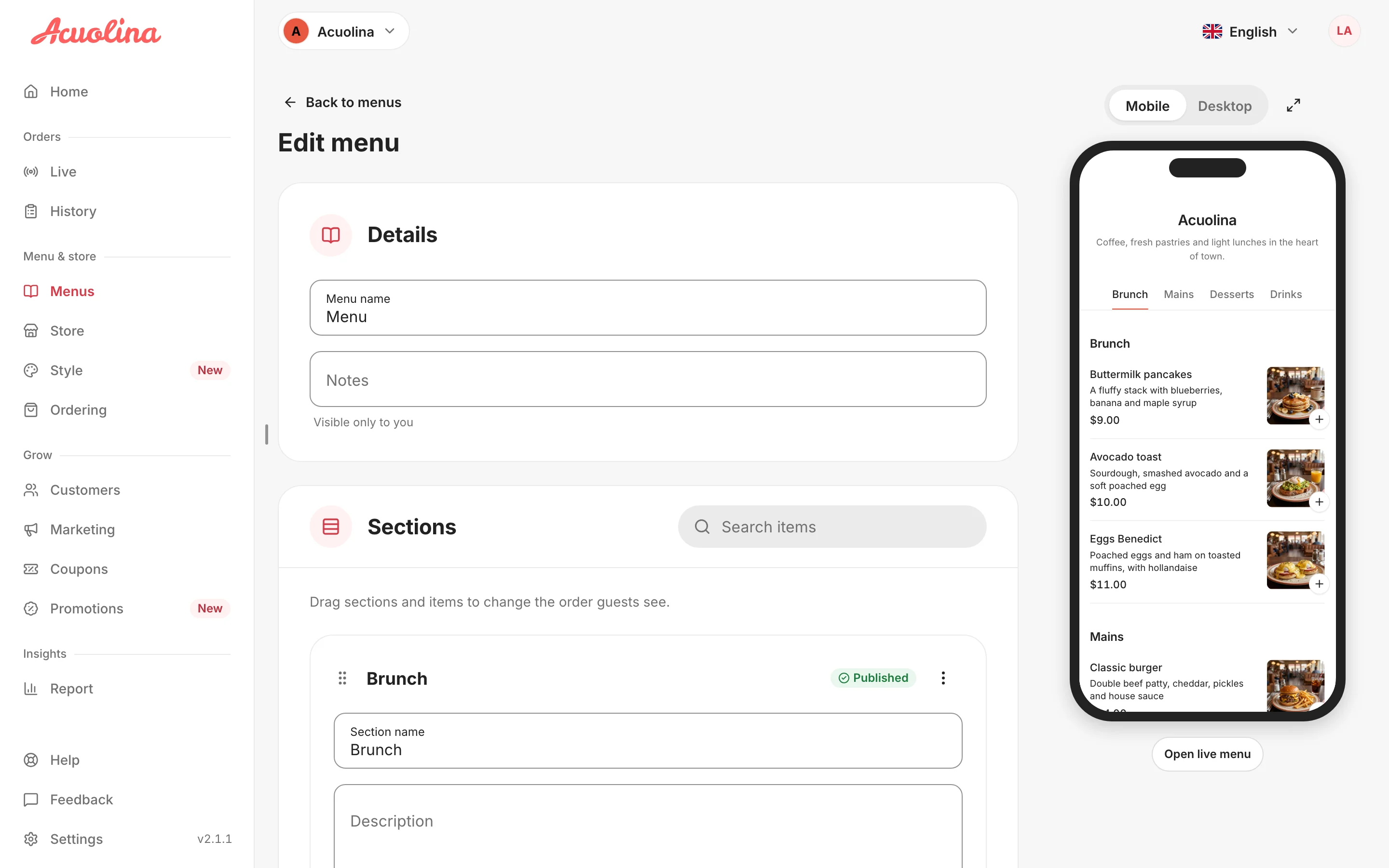
In Menus, the editor now has a Live preview beside it. Switch between Mobile and Desktop to see your menu exactly as guests will, and watch each change appear as you make it. When you edit an item, the preview opens on that item.
A new menu for guests
The menu guests open from your QR code has a new look. On tablets and computers it fills the screen instead of a narrow phone column. Section chips at the top take guests straight to what they want, prices show with their currency, and buttons use your store's colour.
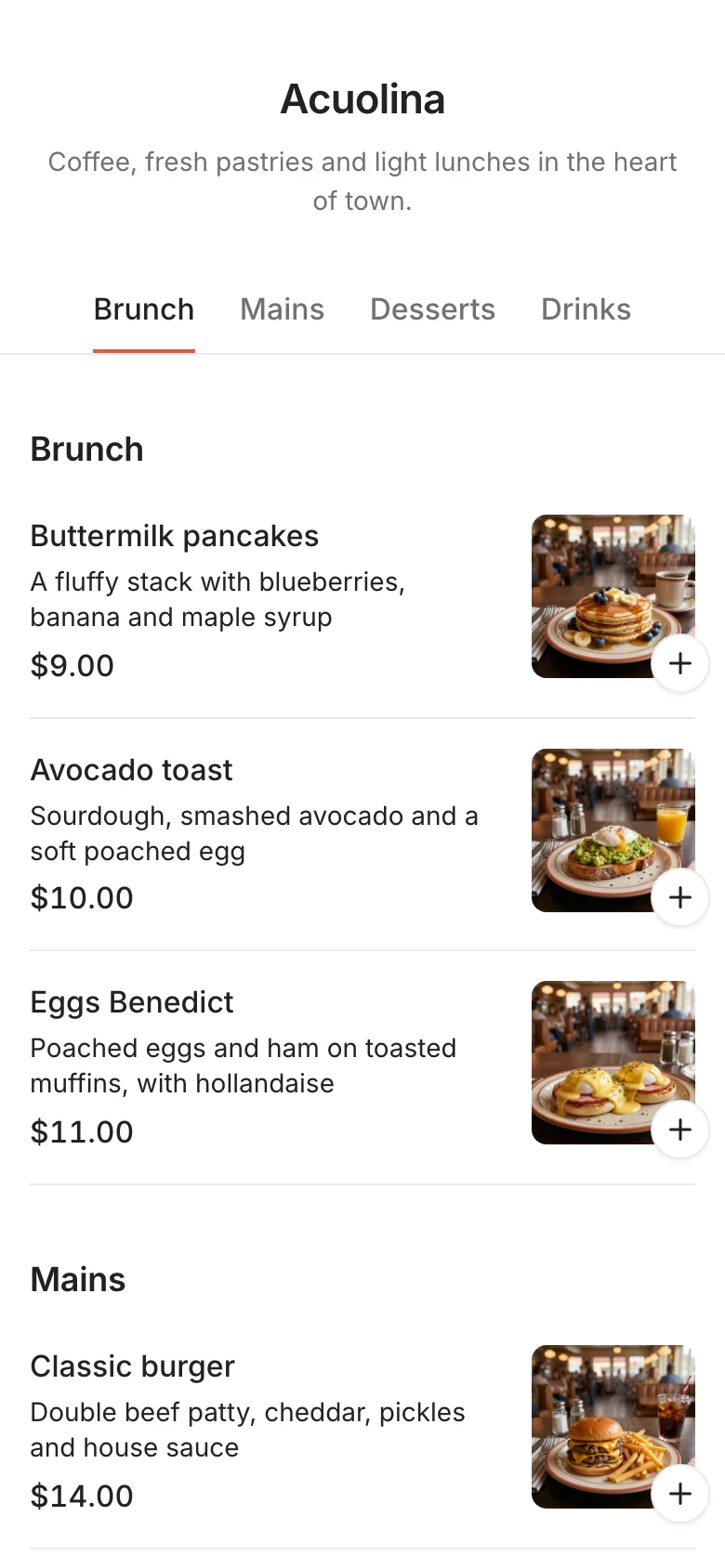
Your printed QR codes keep working, so there's nothing to reprint. If a guest scans an old or broken code, they now land on a friendly page that says This page isn't on the menu and suggests asking the staff, instead of an error.
A guided setup for your first store
New owners are walked through a short setup. Name your store, pick how guests order (from their table, ahead to collect, or delivered) and where orders should arrive, by email or WhatsApp, then add your first menu. Your logo, address and opening hours can wait: you'll find them in the dashboard. See how the QR code menu works.
Six languages
The dashboard and the guest menu now come in English, Italian, French, Spanish, Portuguese and Arabic, which reads right to left. Acuolina's own buttons and labels on your menu follow each guest's language; your items stay as you wrote them.
Also new
- After a failed send, the form scrolls to the first field that needs fixing, on the menu and in the dashboard alike.
- Feedback, at the bottom of the sidebar, sends us your ideas and problems straight from the dashboard.
Your first direct order, tonight.
Create your menu in minutes and get every Chef feature free for 14 days. Then stay on Basic for free, or upgrade.