
Up to five photos per item, whole photos in the item pop-up, QR table stands, hide items
Up to five photos per item
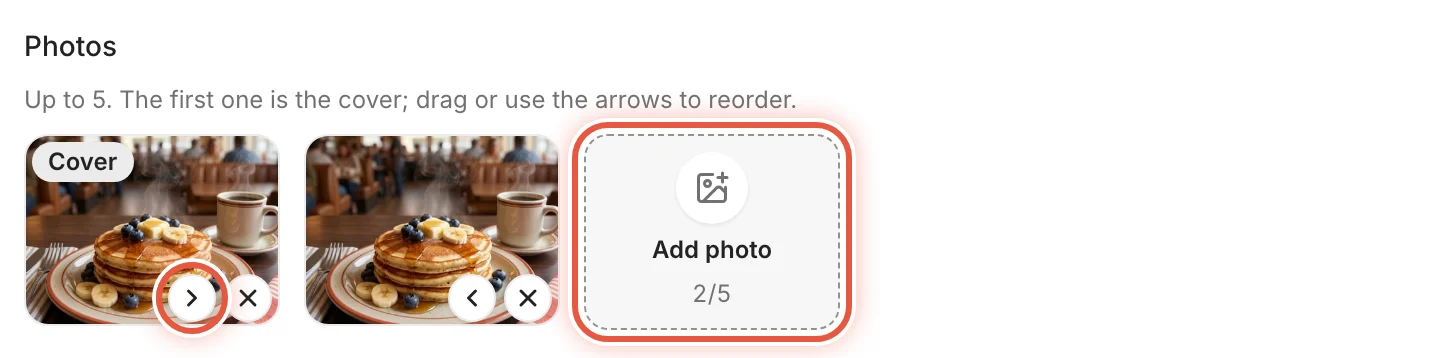
In the item editor, Photos now holds up to five pictures. The first one is the Cover guests see in the menu list; drag the others or use the arrows to change the order. When a guest opens the item, they swipe through the gallery or use the arrows at the sides, with a counter showing which photo they're on.
The whole photo in the item pop-up
The item pop-up now runs the photo edge to edge, across its whole width, and keeps the whole picture instead of cutting a tall photo down to its middle. With several photos, the gallery takes the shape of the cover, so it never jumps as guests swipe. While the full picture loads, a soft blurred copy of the thumbnail holds its place, so the pop-up never opens on an empty box.
Print a QR table stand
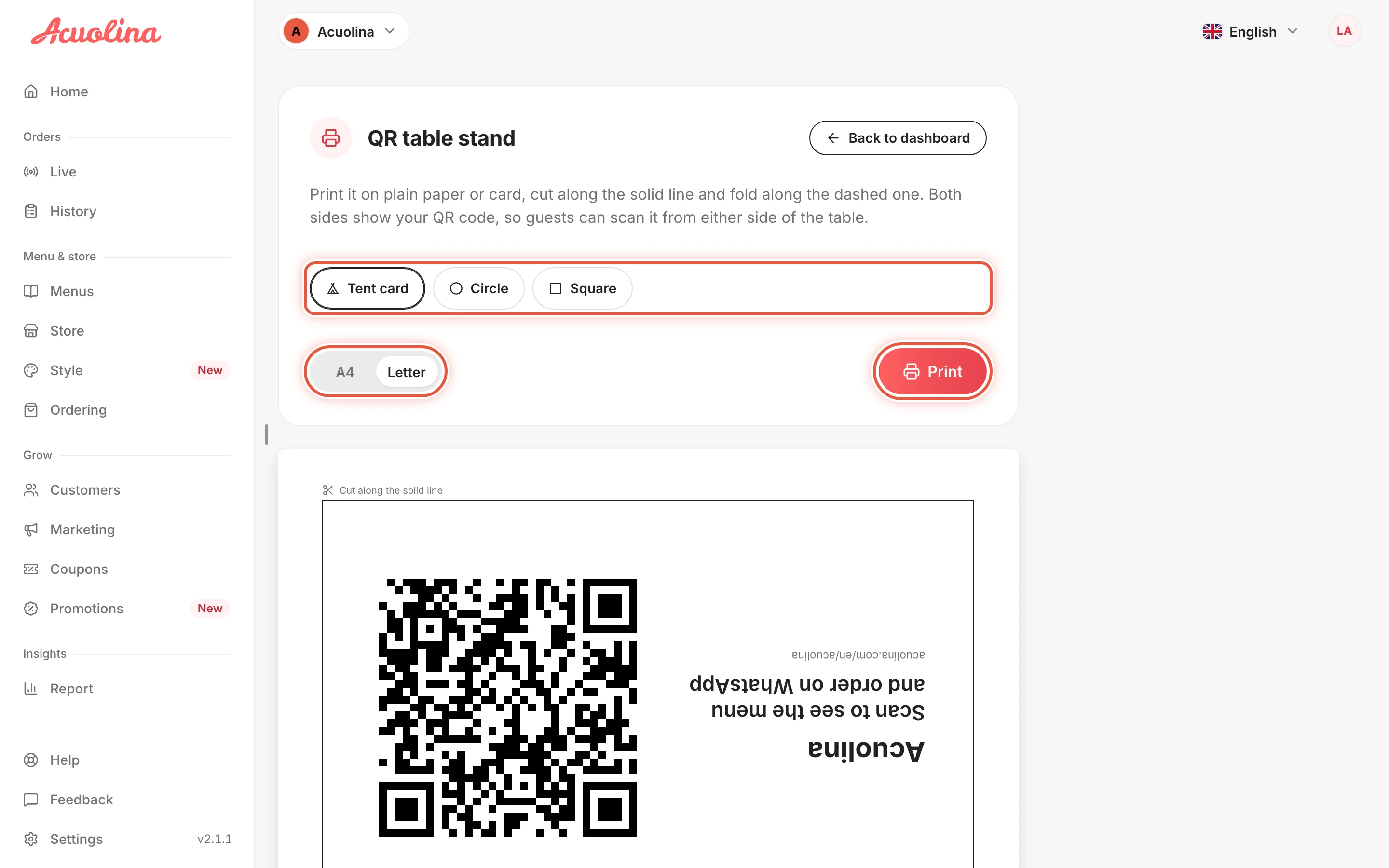
On Home, the QR code card now has Print table stand. Choose a Tent card that folds and shows your QR code on both sides, or four Circle or Square badges per sheet in your store's colour, to stick on tables, the counter or the window. Pick A4 or Letter and print it from your browser. The line under the code matches how you take orders: to see the menu, to order, or to order on WhatsApp. It's included on every plan. More on ordering from the table.
Hide an item in one tap
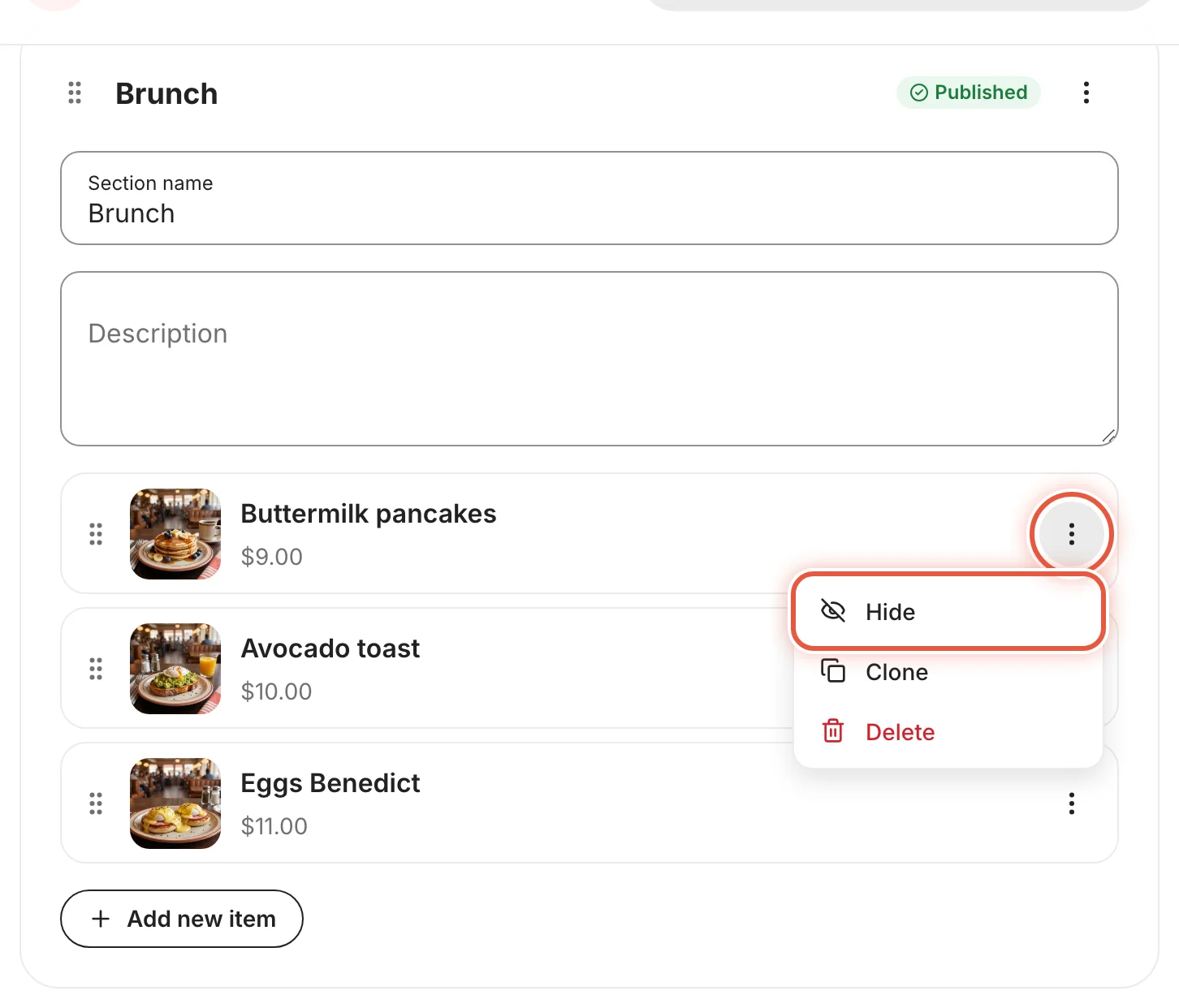
Each item's options in the menu editor now start with Hide. The item comes off your menu at once and shows a Hidden badge in the editor; Show puts it back. Sold-out items no longer need opening to take them off the menu.
Also new
- Search items, at the top of the menu editor, finds an item by its name or description as you type, and stays in view while you scroll.
- In the item pop-up, the guest's note folds behind Add a note, and the description is darker and easier to read.
Your first direct order, tonight.
Create your menu in minutes and get every Chef feature free for 14 days. Then stay on Basic for free, or upgrade.