
Menu rows you open with one click, a Reorder mode, faster menus for guests
Menu rows that open with one click
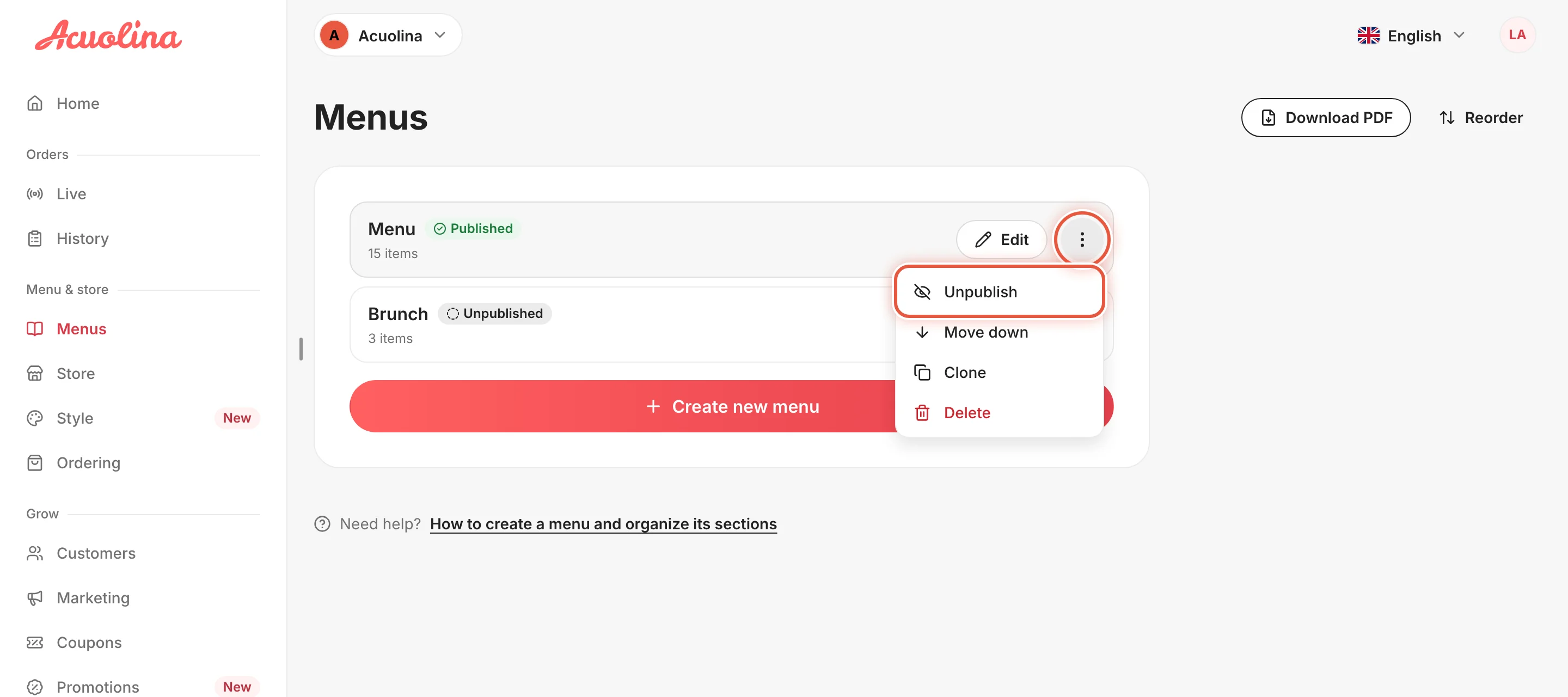
On Menus, every menu is now one clean row: its name with Published or Unpublished, how many items it has underneath, an Edit button and its options. Click anywhere on the row to open the menu, so you no longer hunt for the right button. Move up and Move down sit in the options too.
Reorder your menus by dragging
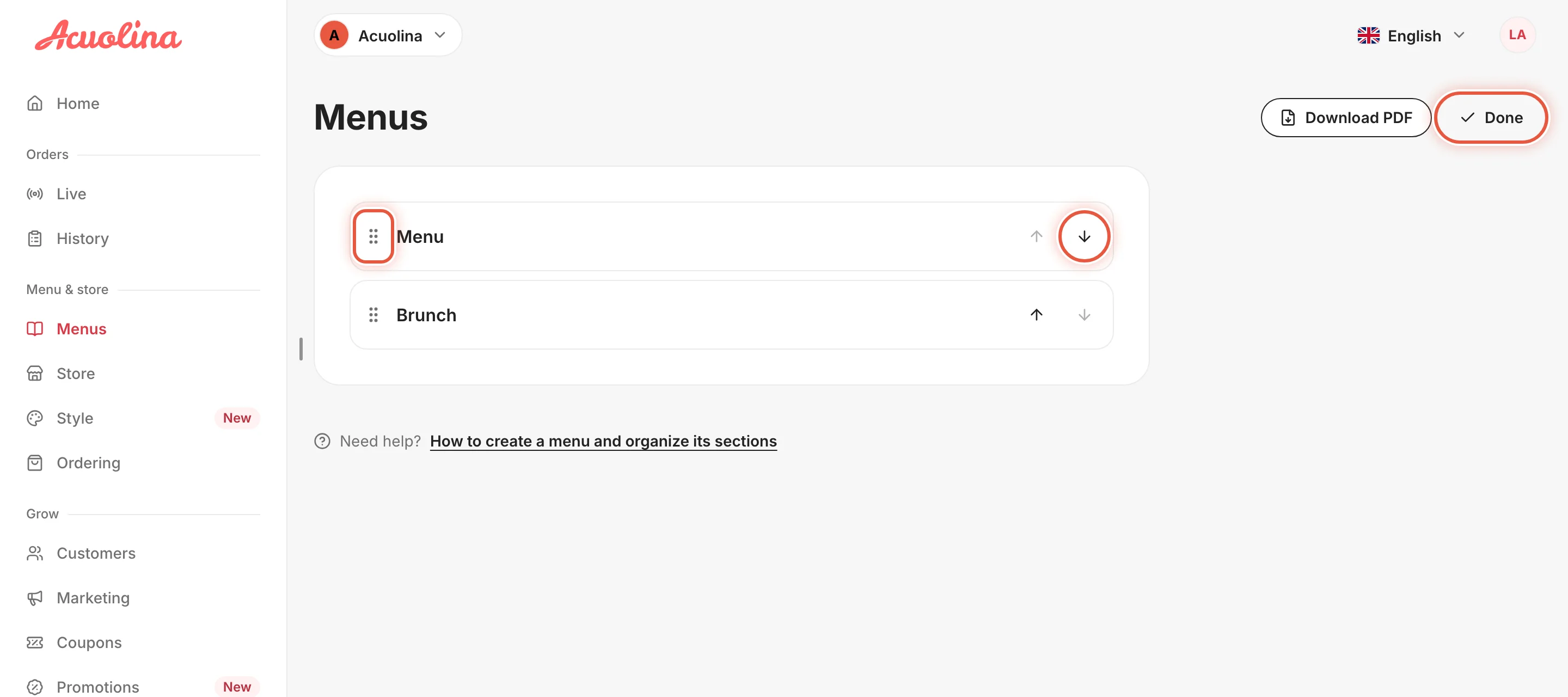
Press Reorder above your menus and drag them into the order you want, or use the arrows on each row, then Done. Each change is confirmed with a short message, and if it can't be saved, your menus go back to the order they had. Guests see your menus in that order when they open your link.
Also new
- Your menu opens faster for guests, above all on phones on a slow connection: prices, sections and the item pop-up load only when they are needed.
- In the item pop-up, the photo shows straight away, blurred from the small one already on the card, then sharpens as the full photo arrives.
- Finishing the setup wizard now ends with a little confetti, before your dashboard opens.
Your first direct order, tonight.
Create your menu in minutes and get every Chef feature free for 14 days. Then stay on Basic for free, or upgrade.