
Acuolina Print for receipt printers, print from History, a clearer checkout
Print orders with Acuolina Print
Acuolina Print is a free Windows app that prints your orders on the receipt printers you already have. Install it on the computer connected to your printers, tap Connect a computer and type the code it shows into the app, then tick the printers to use. From then on, every new order prints by itself, with no one watching the screen.
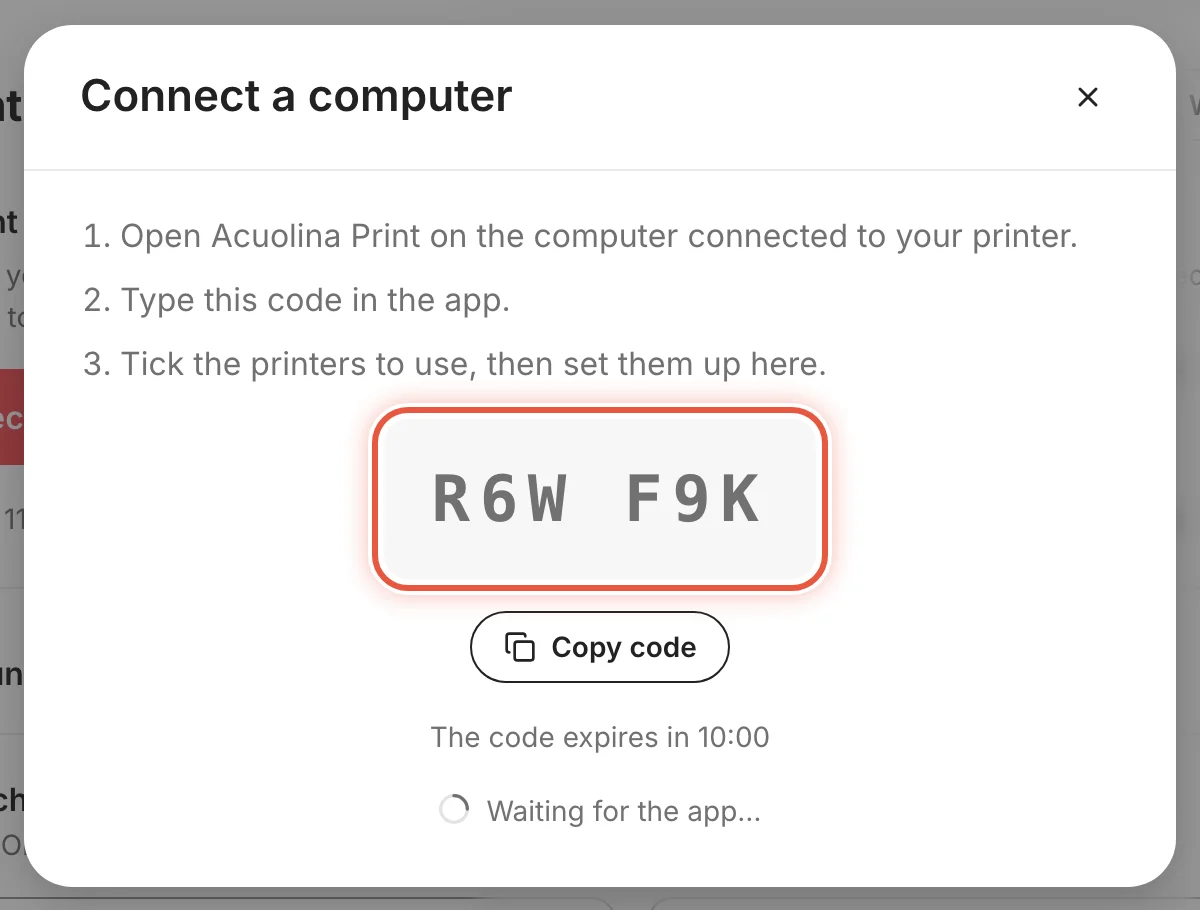
It works with Epson, Star, Bematech and most receipt printers installed on a Windows 10 or 11 computer, over USB, the network or a shared printer. Each printer has its own settings in the dashboard: Printer type, Paper width, Receipt language, Show prices and totals, Print the store logo, Copies and Print new orders automatically, plus a Test print to check it all. Printing is on every plan.
Find it under Settings › Printing, where Watch the tutorial walks you through the setup on video. See what else kitchen order printing does.
Print any order from History
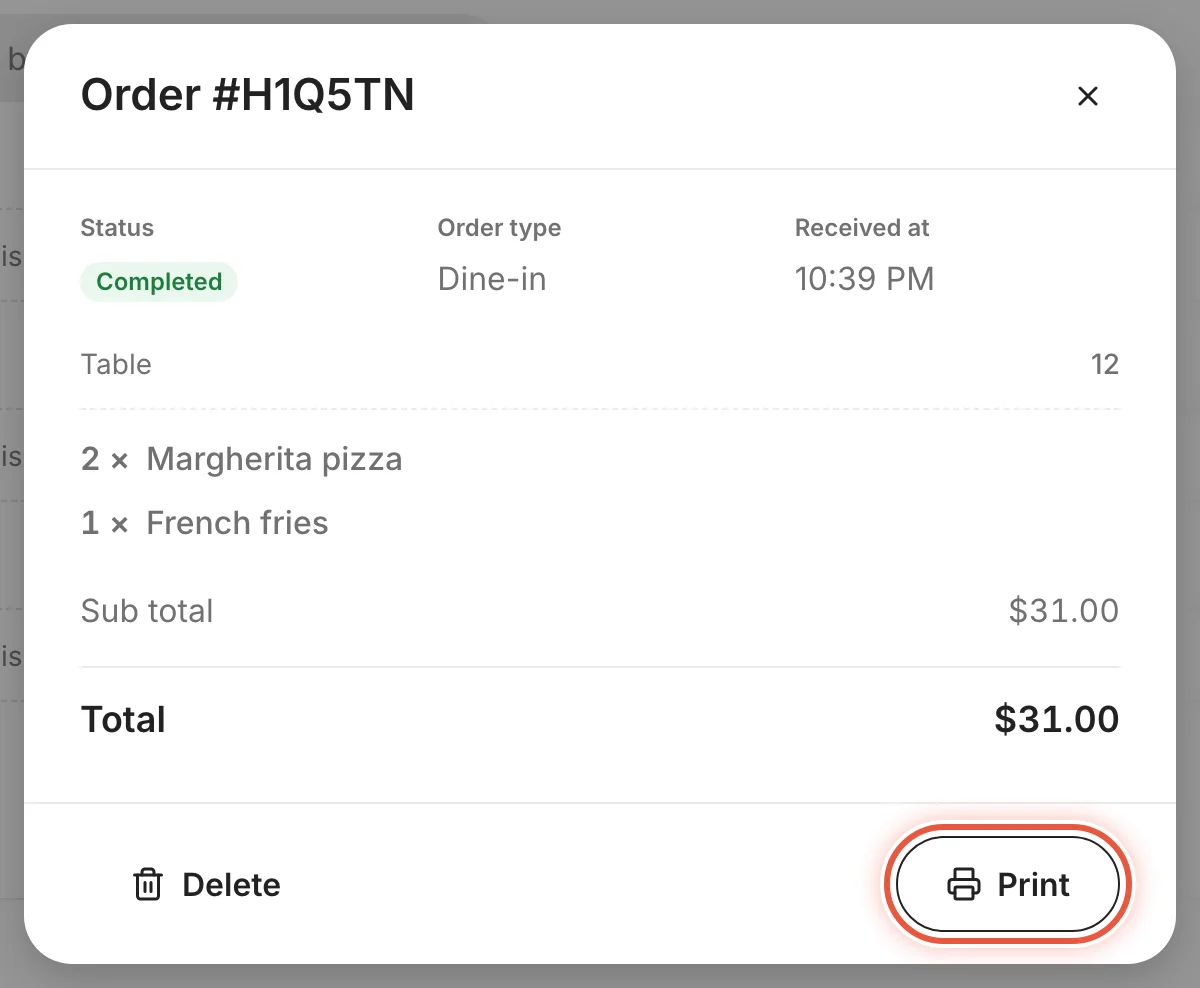
Open an order in History and tap Print to send it to your printers again. Handy when a receipt jams, a guest asks for a copy, or you want an order on paper after the fact.
A clearer checkout for guests
Checkout now has its own top bar with a back arrow, so guests always know how to return to the menu or to their order. For pick-up orders, the store's address shows under Pick up at and opens in maps. The button to send the order stays at the bottom of the screen while guests scroll, so it is always in reach.
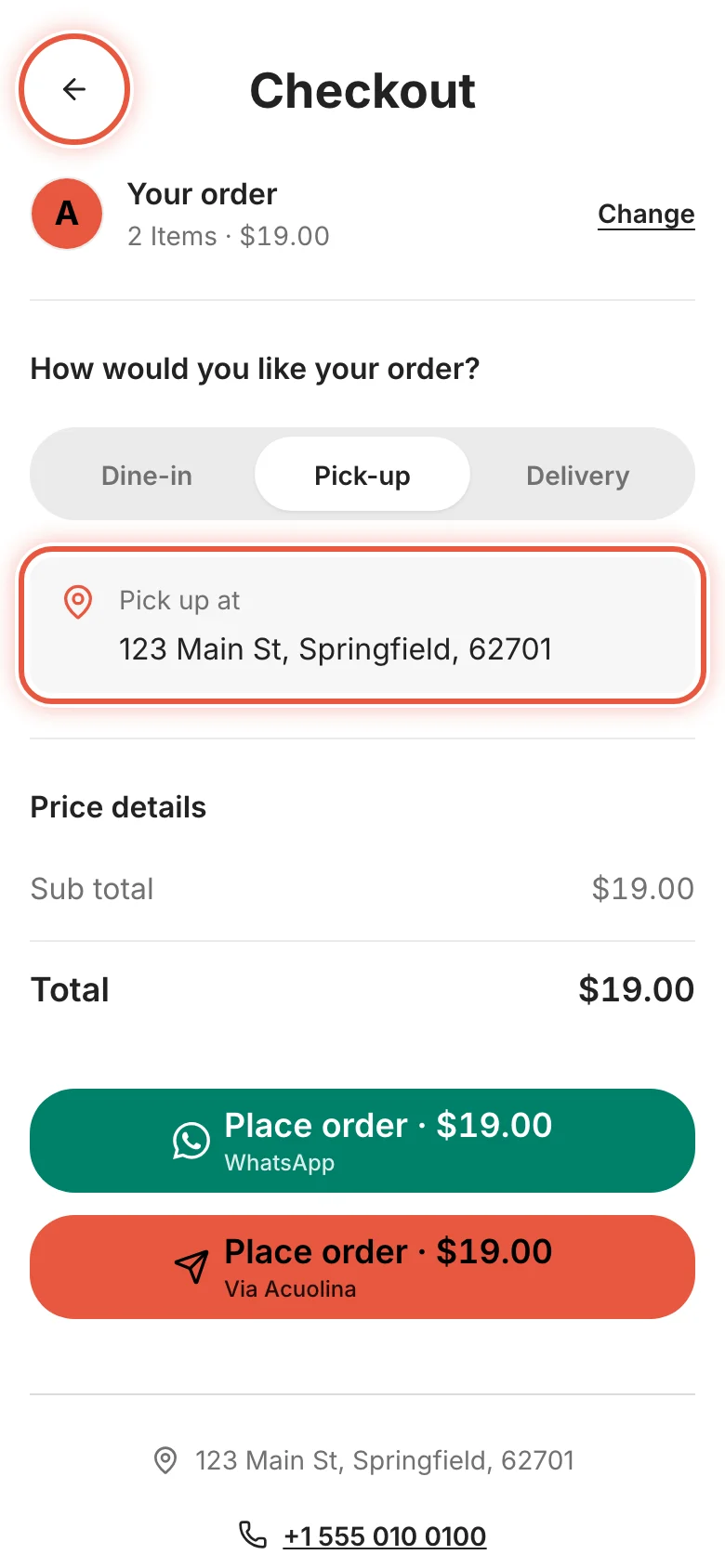
Coupons are easier too: an applied coupon has an X to remove it, and it clears once the order is sent, so the next order starts without it.
Also new
- The setup wizard asks Where should orders arrive? and can send them to WhatsApp: type the number and orders arrive there as messages.
- In the item editor, Diet is a list of the major diets (vegetarian, vegan, gluten free, halal, kosher and more) to tick, shown to guests on the item.
- Currency in the item editor is a list of named currencies that starts on your country's, or the last one you picked.
- Each modifier's choices sit under an Options heading, and every option fits on one line with its + Price on phones.
Your first direct order, tonight.
Create your menu in minutes and get every Chef feature free for 14 days. Then stay on Basic for free, or upgrade.