
Your menu as a PDF, a review step before ordering, delivery app fee calculators
Download your menu as a PDF
Download PDF on the Menus page opens a print-ready copy of your menu. Pick which menus go in, a Template, the Columns and the Paper size (US Letter in Letter countries, A4 everywhere else), and Customize font and colors if you like. Choose whether prices, descriptions and allergens show, add your logo and a QR code that opens the menu online, and turn Page numbers on or off.
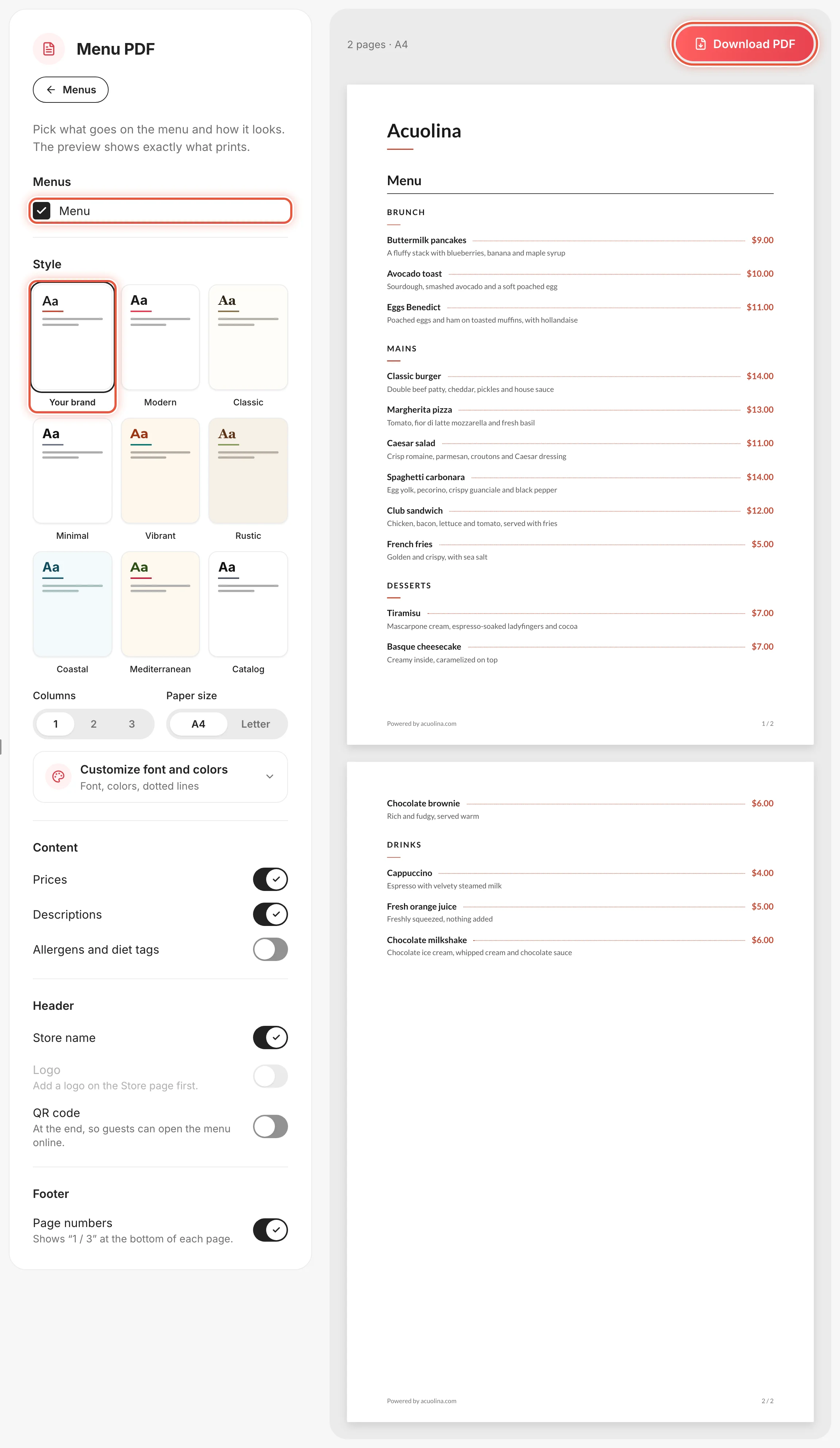
The preview shows every page exactly as it prints, so what you download is what you see. Find it under Menu PDF.
Guests review their order before their details
Ordering from your menu now has two steps. First guests see their order with each item's photo, change quantities, add a coupon and pick extras under Add to your order, which suggests items from sections they haven't touched yet, like a drink or a dessert next to a main. Continue then takes them to the order type, their details and the send buttons.
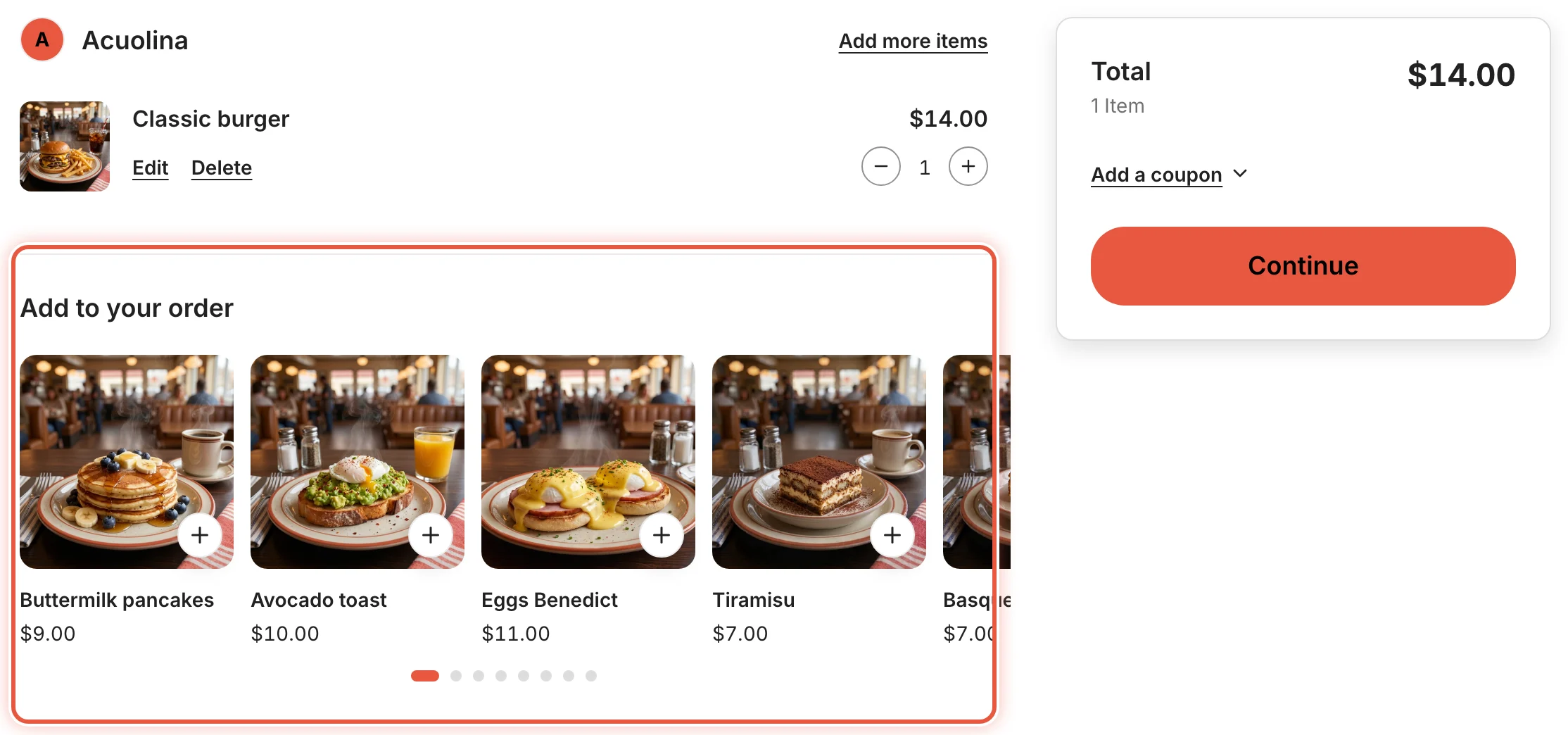
Orders reach you exactly as before. On a computer the order stays in a card beside both steps, so guests never lose sight of it.
What the delivery apps really cost
Four new free calculators show what iFood, Uber Eats, DoorDash and Grubhub cost you per order, per month and per year, from your own order value, number of orders and plan. They also show the price that covers the commission and how much a direct order keeps instead. Pick one on our free tools page.
Your first direct order, tonight.
Create your menu in minutes and get every Chef feature free for 14 days. Then stay on Basic for free, or upgrade.