
Menu themes for every store, six templates, light or dark, your color
Six templates on the Style page
Every store can now choose how its menu looks to guests. Open Style in your dashboard and pick a Template: Classic, Minimal, Photo, Bistro, Asian or Neon. The preview shows your own menu and changes as you click, and nothing goes live until you press Save. Your menu link and QR code stay the same.
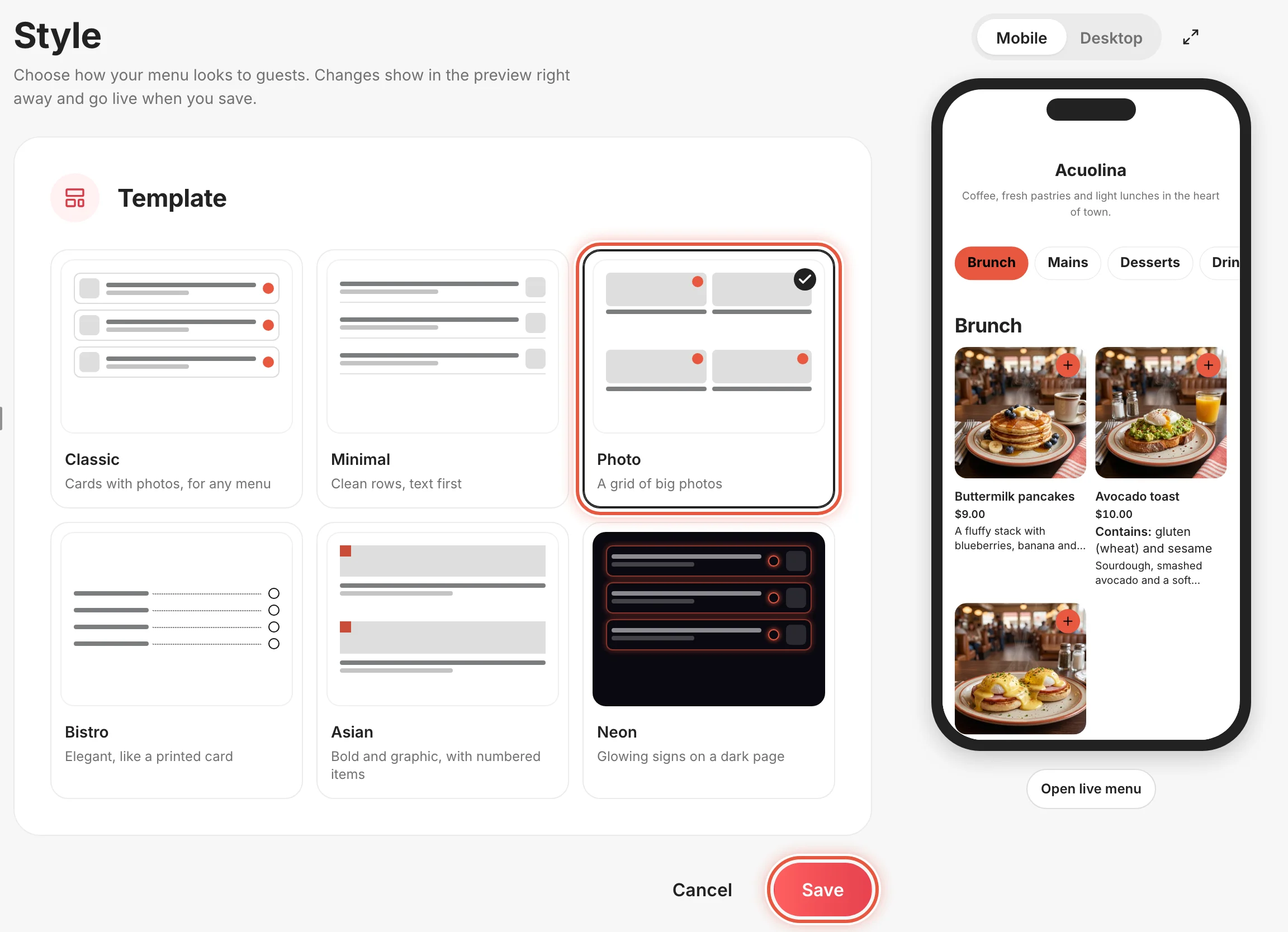
Find it under Style in your dashboard.
Light or dark, your color, photos on or off
Every template has a Light and a Dark Background, and Neon starts dark, made for bars and late evenings. Set your color once and the buttons and highlights follow it, adjusted on dark so they stay easy to read. Show item photos decides whether your menu leads with pictures or with text.
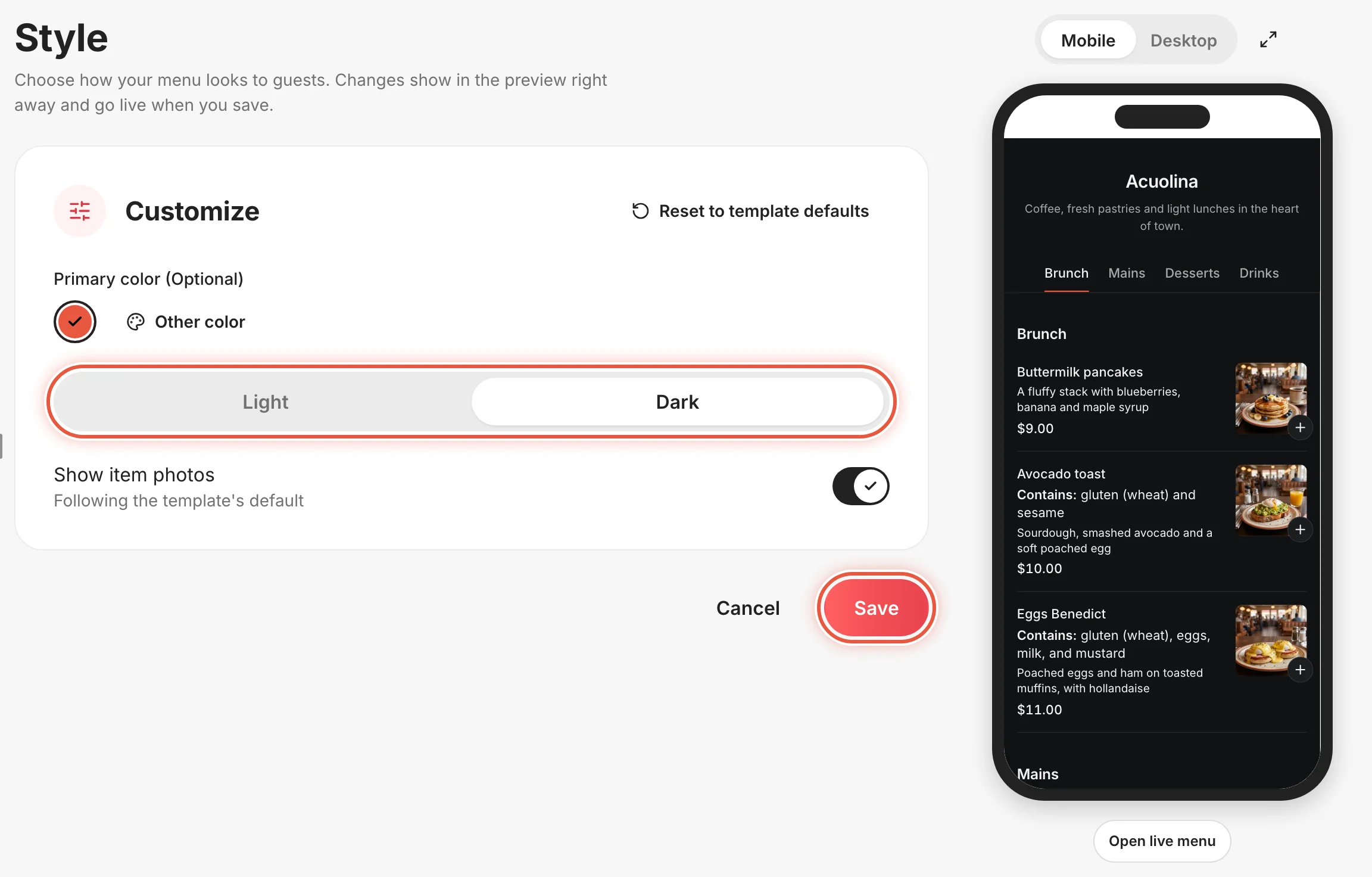
To see all six side by side, read our digital menu design guide.
What each plan gets
Your color saves on every plan. Templates, backgrounds and photo choices come with Chef and the 14-day trial. On Basic you can try every combination in the preview, and your menu shows Minimal with your color. A store that goes back to Basic keeps its theme saved, and it comes back on Chef.
Your first direct order, tonight.
Create your menu in minutes and get every Chef feature free for 14 days. Then stay on Basic for free, or upgrade.