
The dashboard on phones, a first-day Home, item views on Home and in Reports
Your dashboard, made for your phone
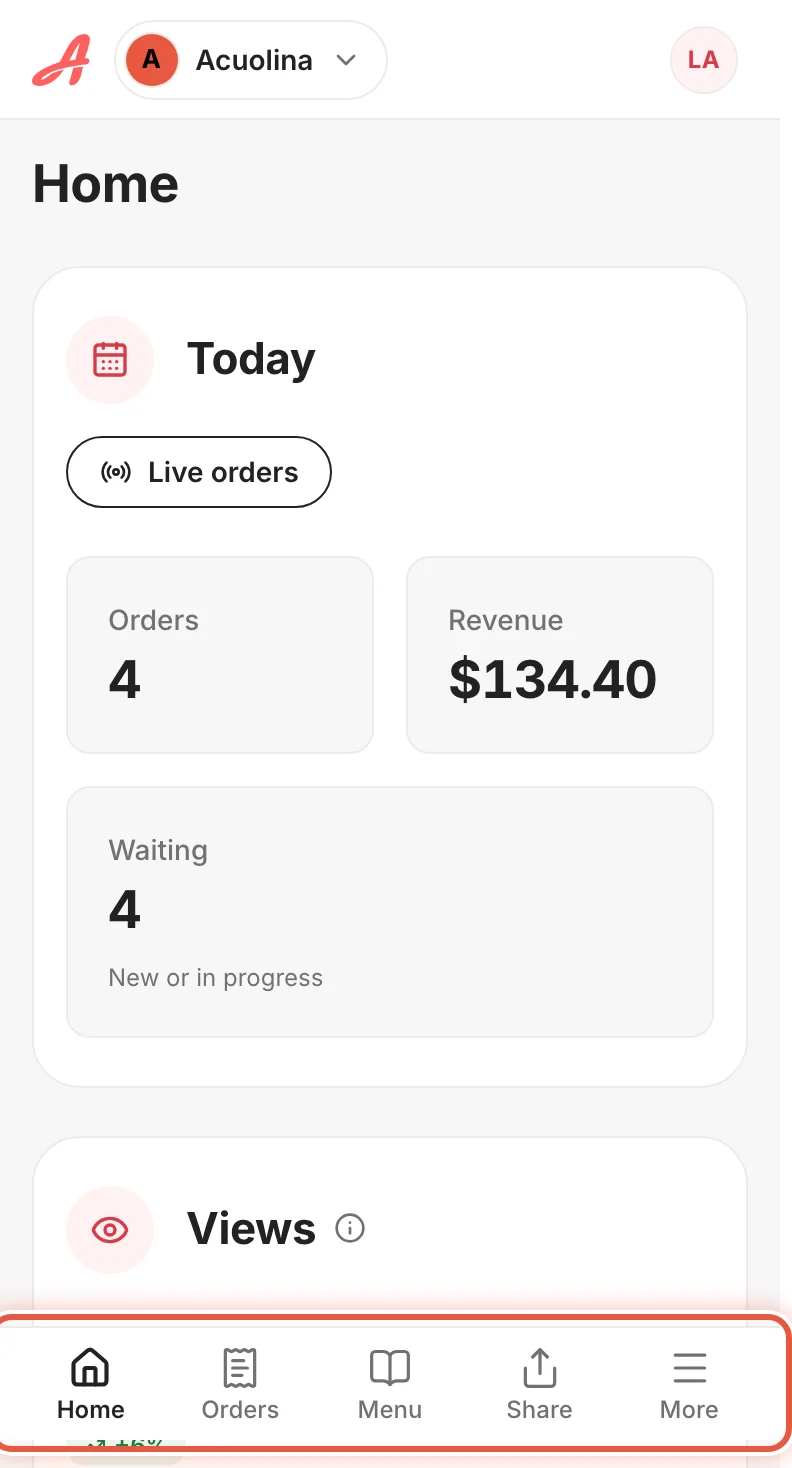
On a phone, the dashboard now has a tab bar at the bottom: Home, Orders, Menu, Share and More, always in reach of your thumb. Orders shows how many new orders are waiting. Share opens your menu link and QR code with Copy link, Share link, Download QR code and Print table stand, ready to send to a guest or a supplier. More holds every other page, your language and Chat with us. The top bar is now one slim row with your store and your account.
A first day that starts on your live menu
When you finish the setup wizard, Home opens on Your menu is live, with your link to copy, share or open, and a preview of your menu on a computer. Under it, Get started walks you through five steps: your store, your items, your menu as guests see it, your QR code and online orders. Each step ticks itself off once done, and you can hide the guide when you no longer need it. The setup wizard itself now fills the whole screen, one step at a time.
See which items guests look at
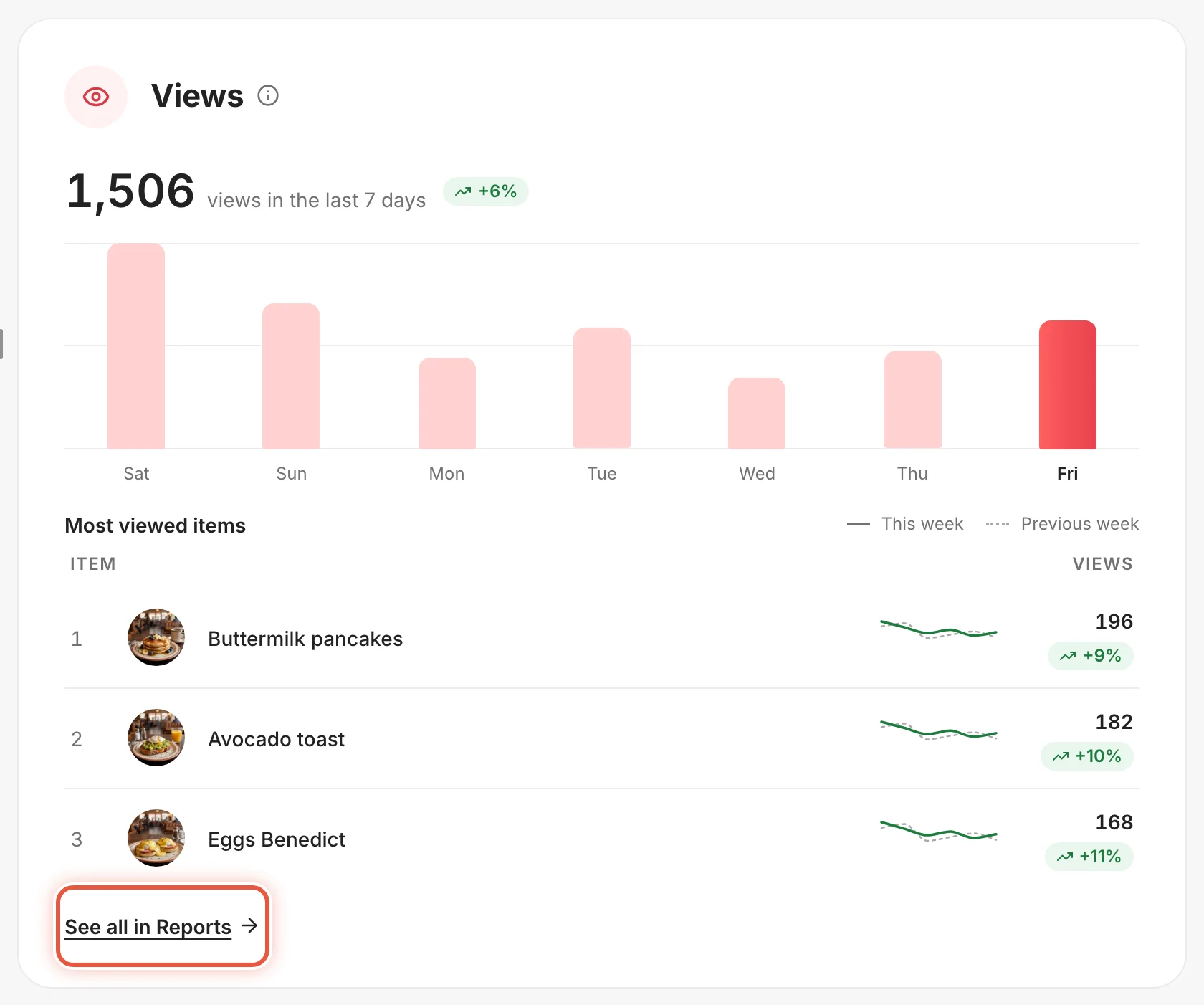
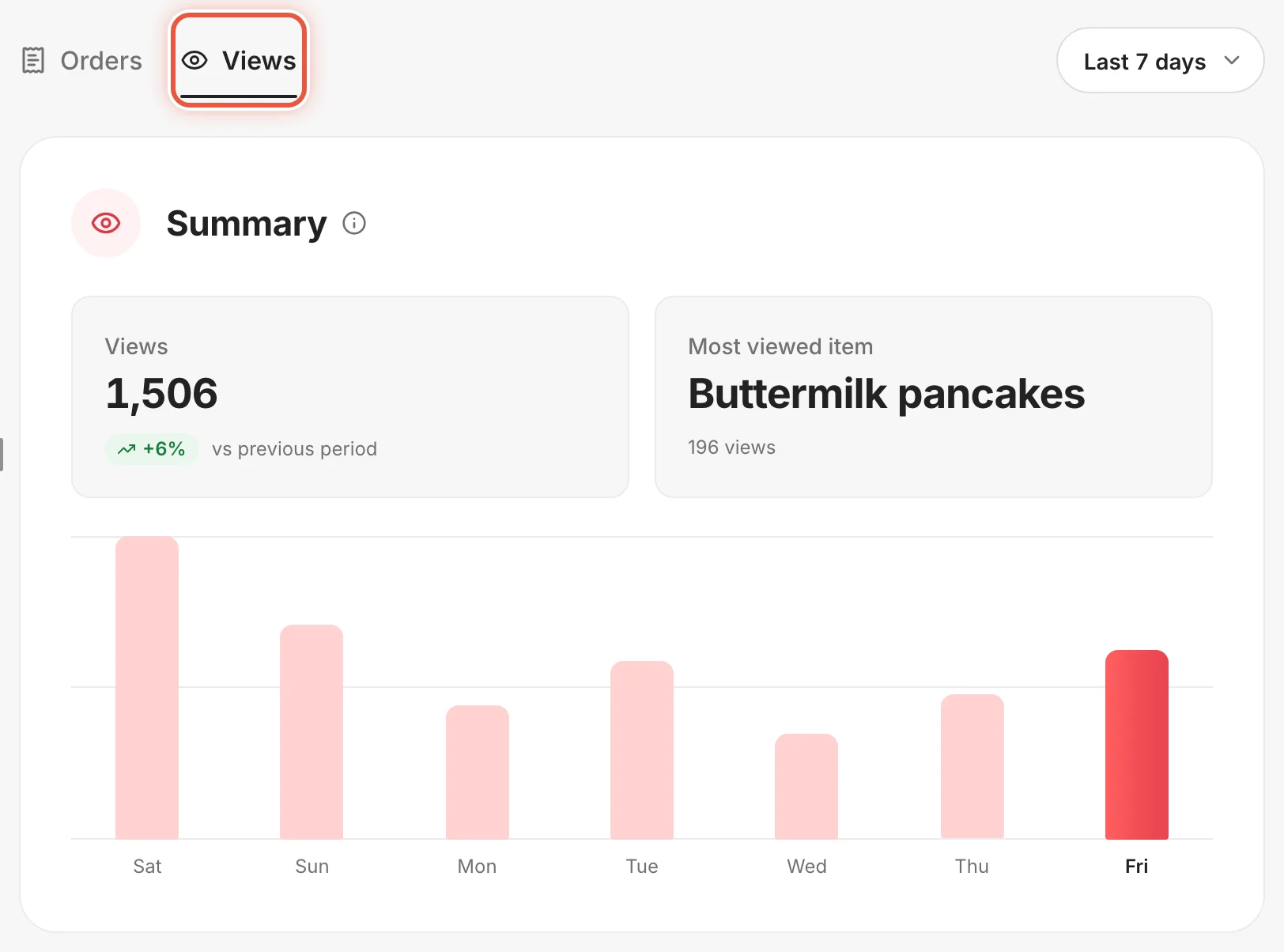
Guests often open an item to read it or see its photo before they decide. Home now has a Views card with your menu's views over the last 7 days and your Most viewed items, and Report has a Views tab with the full list and the views per day. Your own visits don't count. Use it to see which photos work, and which items deserve a better spot. More on reports.
Also new
- Item photos on your menu are cropped much less: a wide or tall photo now shows almost whole, framed by a soft blurred copy of itself.
- Minimal is now the template every store starts on, on every plan.
- Your logo gets a frame that suits each template on dark backgrounds.
- Every dialog, on your menu and in the dashboard, now blurs the page behind it, so it's easier to focus on.
Your first direct order, tonight.
Create your menu in minutes and get every Chef feature free for 14 days. Then stay on Basic for free, or upgrade.