
Promotions on items, AI menu import from photos or a PDF
Promotions: put an item on offer
Open Promotions in your dashboard, click New promotion, choose an item and set a Percentage or an Amount off. Guests see the old price crossed out next to the new one on your menu, with no code to type, and the discount comes off their order. Switch Active off to pause a promotion and on again whenever you like.
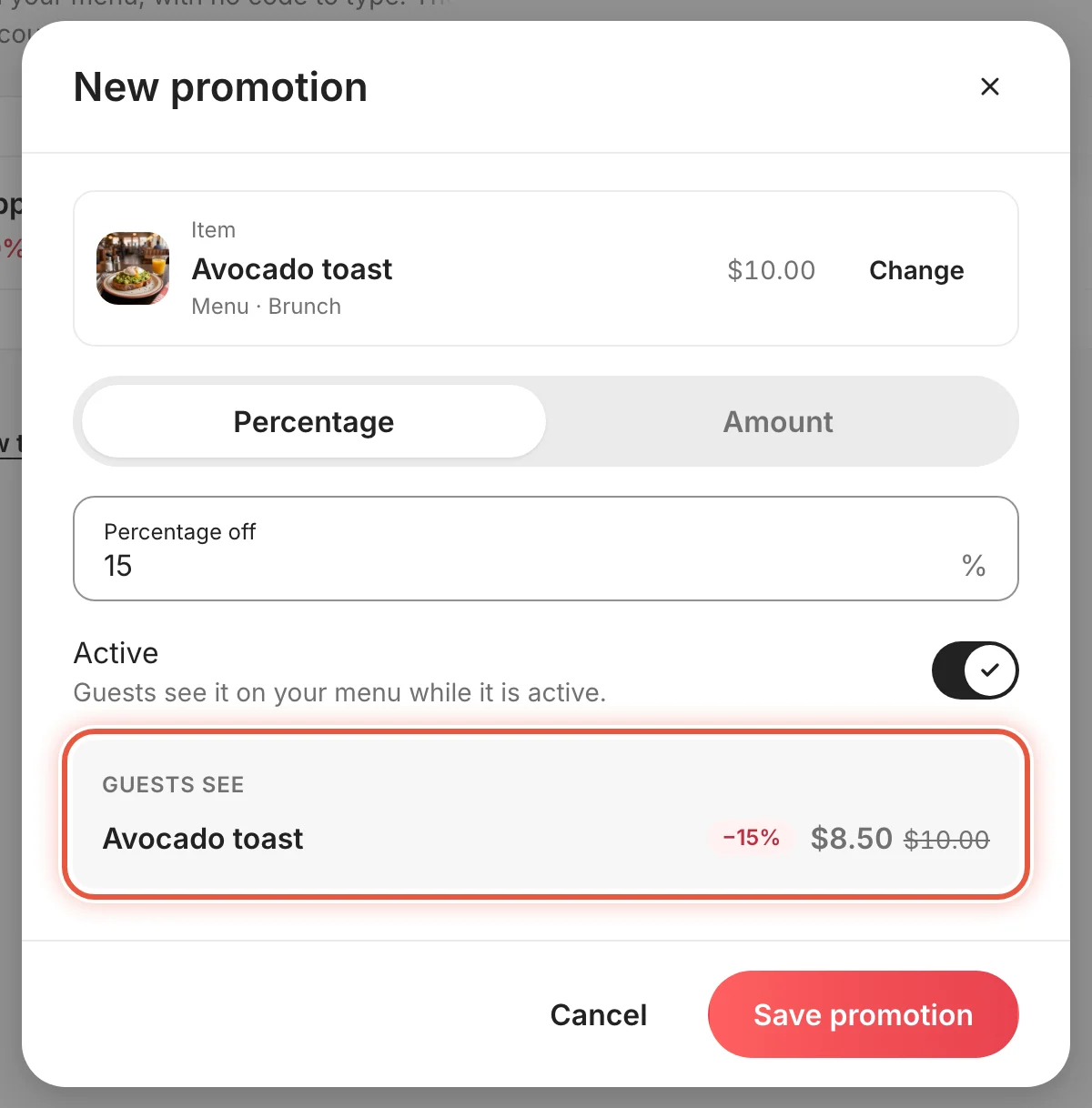
You can also start one from the item editor with Add discount. Each item has one discount at a time, and promotions are on every plan, Basic included. Find them under Promotions.
AI menu import: from paper to a menu in about a minute
Have a printed menu? On Menus, click Create new menu and choose Import from photos or PDF with AI. Add clear photos of every page or a PDF, and our AI reads the sections, items and prices, plus choices like sizes and extras. You see everything it found before you click Create menu, and it's added as a new menu, so your other menus don't change.
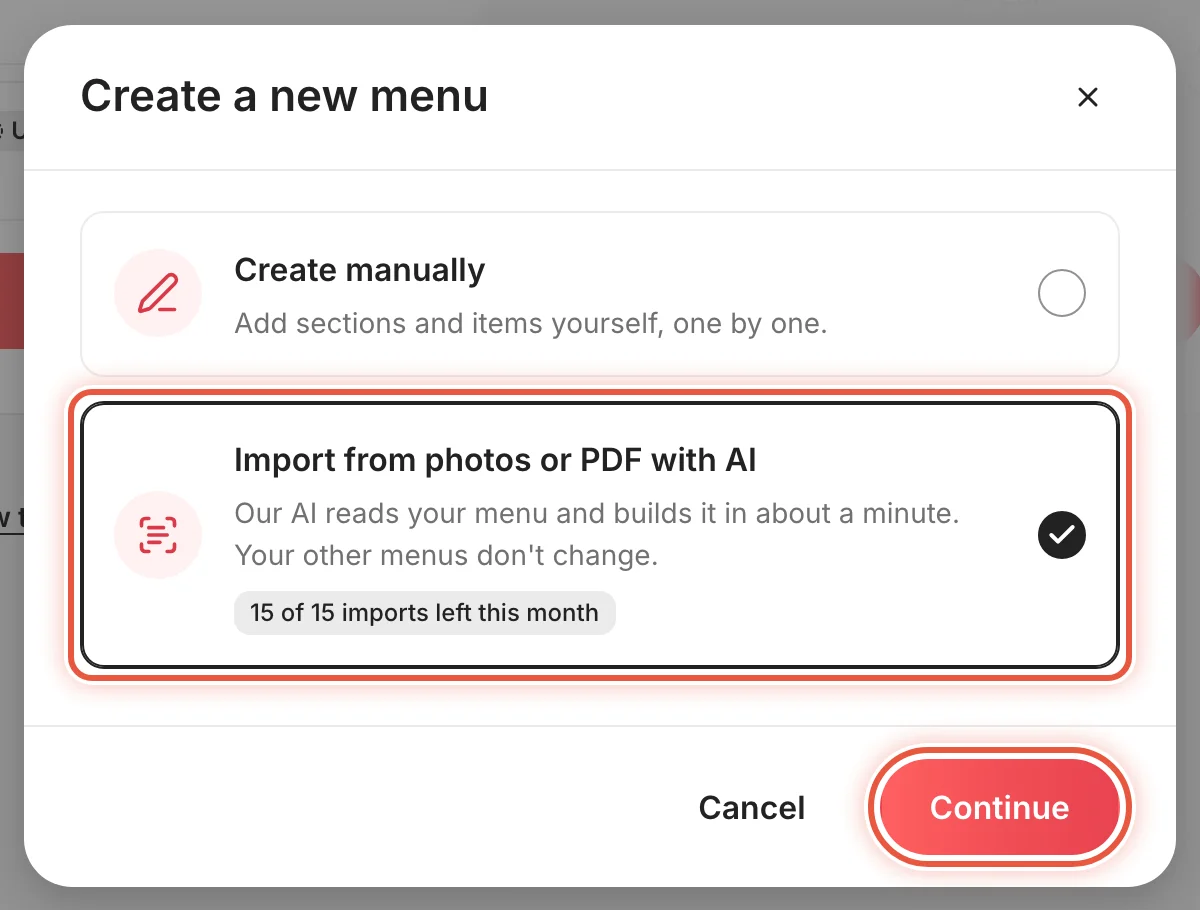
The AI can make mistakes, so check items and prices in the menu editor afterwards. New stores get the same import in the setup wizard. Basic includes 3 imports a month, and Chef and the trial include 15. Start from Menus.
Your first direct order, tonight.
Create your menu in minutes and get every Chef feature free for 14 days. Then stay on Basic for free, or upgrade.