
Here's how to reset your password when you forgot it: ask for a code by email, then choose a new password.
Ask for a password reset code
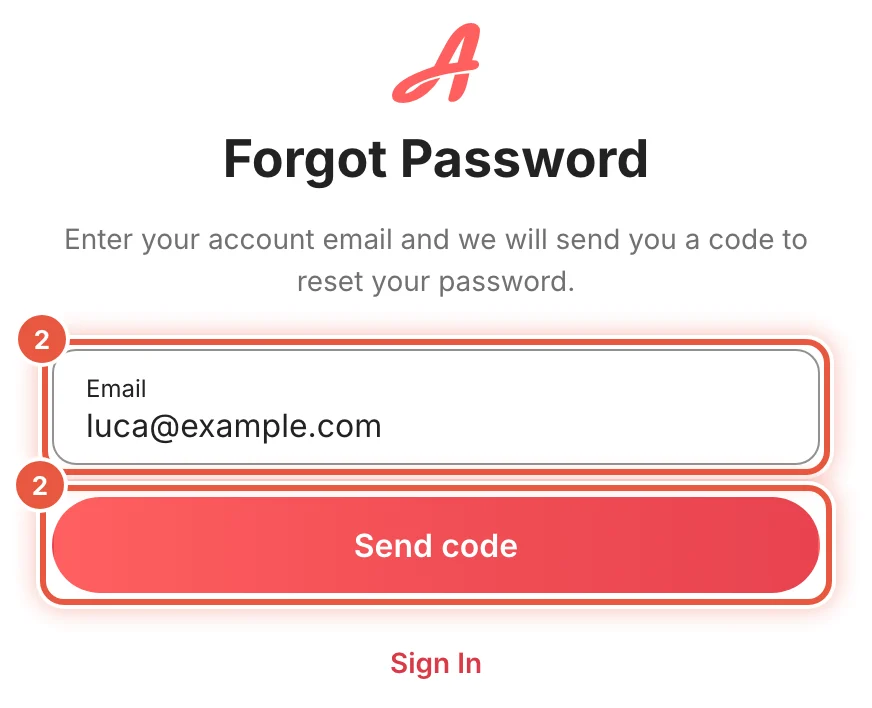
- On Sign In, select Forgot Password.
- Type your account's Email and select Send code.
We email you a code. Not there after a few minutes? Check your spam folder.
Choose a new password
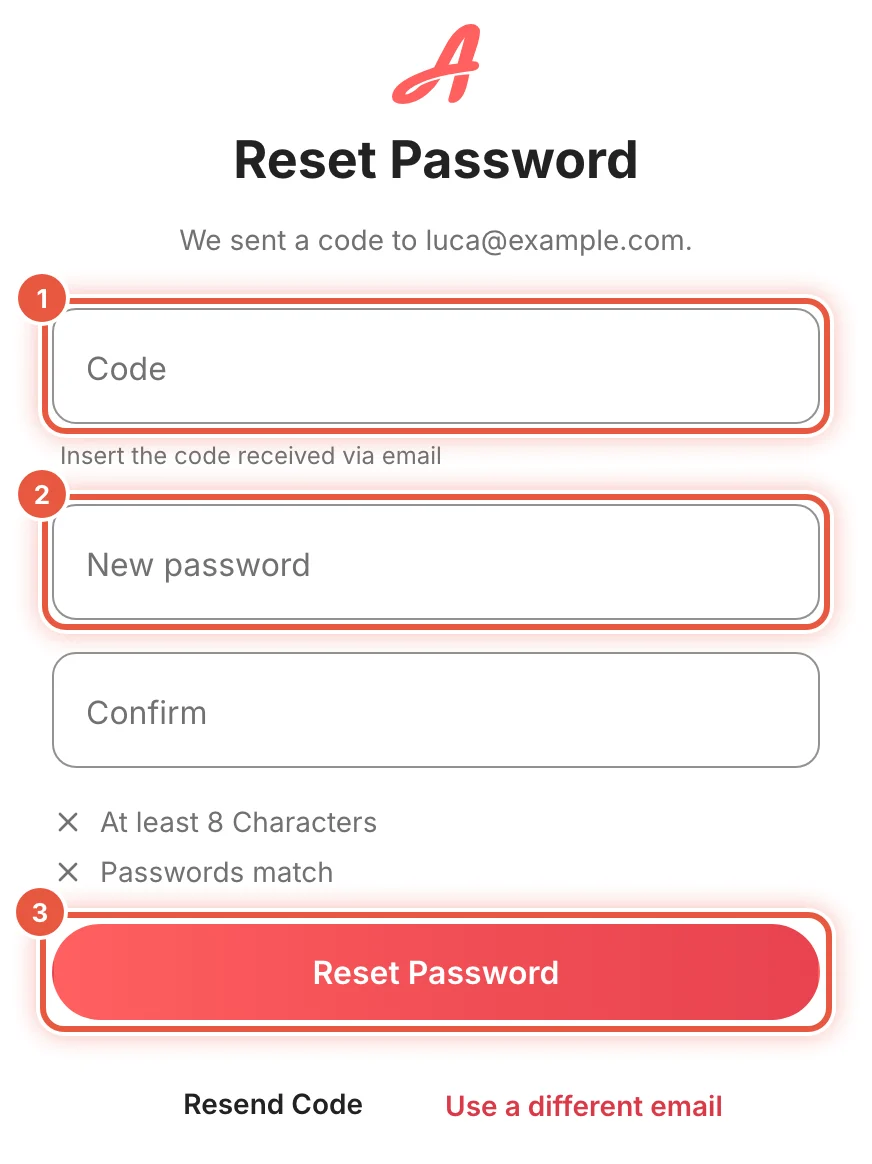
- Type the Code from the email.
- Type your New password twice, in New password and Confirm: at least 8 characters.
- Select Reset Password. You're signed in with the new password.
No code? Select Resend Code, or Use a different email if you typed the wrong one.
Signed up with Google? Use Sign in with Google instead. Your QR code menu stays online while you're signed out.