
Here's how to change your email or password, and your name, in your account settings.
Open your account settings
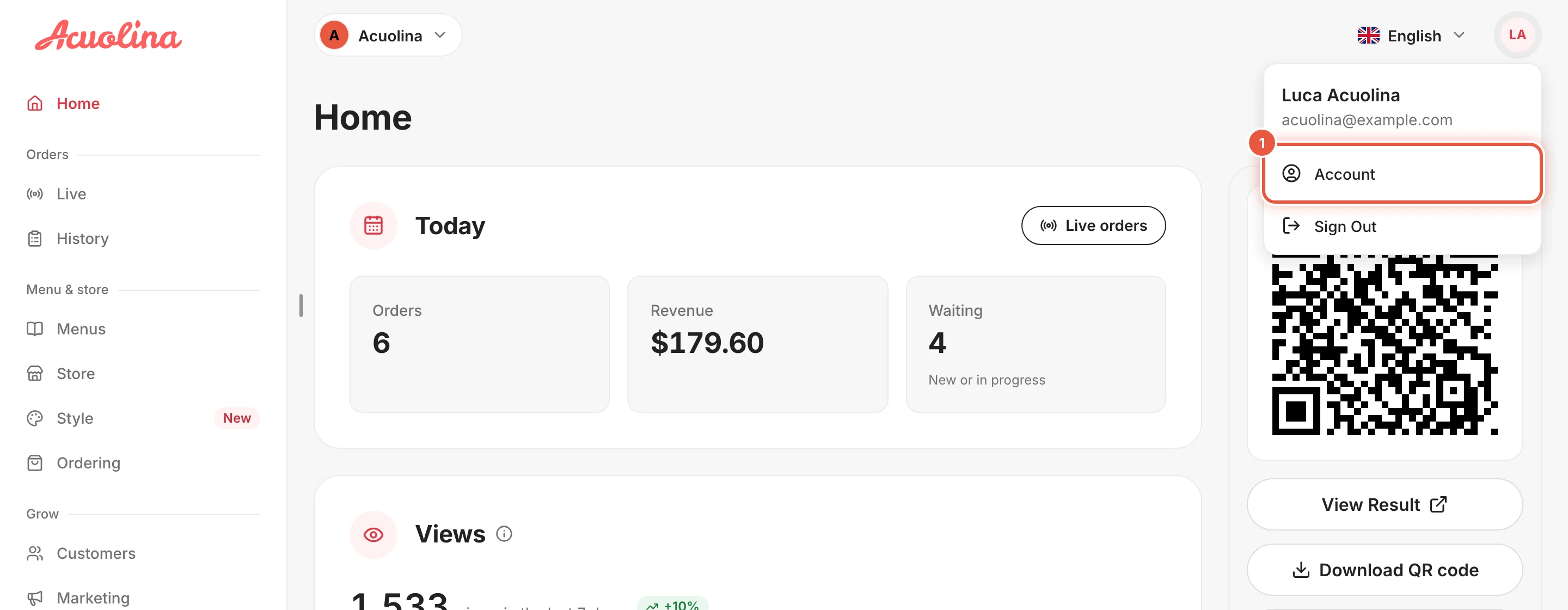
- Select your initials in the dashboard's top corner, then Account.
Change your email or password
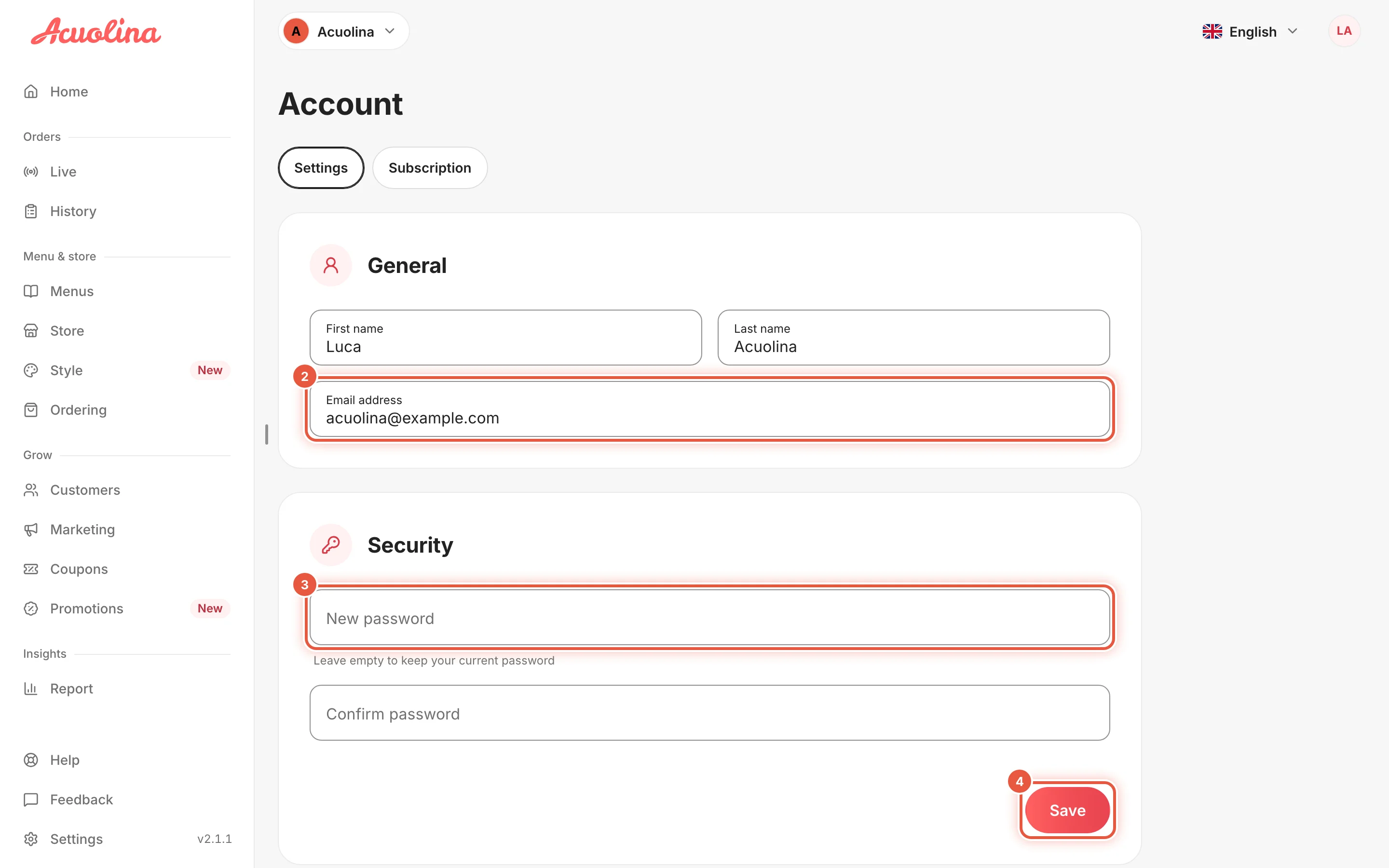
- Under General, edit First name, Last name or Email address. The email address is your login email from now on.
- To change your password, type it in New password and Confirm password. Leave both empty to keep the one you have.
- Select Save.
Use your new login email the next time you sign in. Forgot your password instead? Reset it from the sign-in page.
These are your own details. Your store's email and phone, the ones guests see on your QR code menu, are under Store.