
Here's how to create a coupon code that guests type when they send an order, on every plan.
Create a coupon code
- In the sidebar, select Coupons, then Create Coupon.
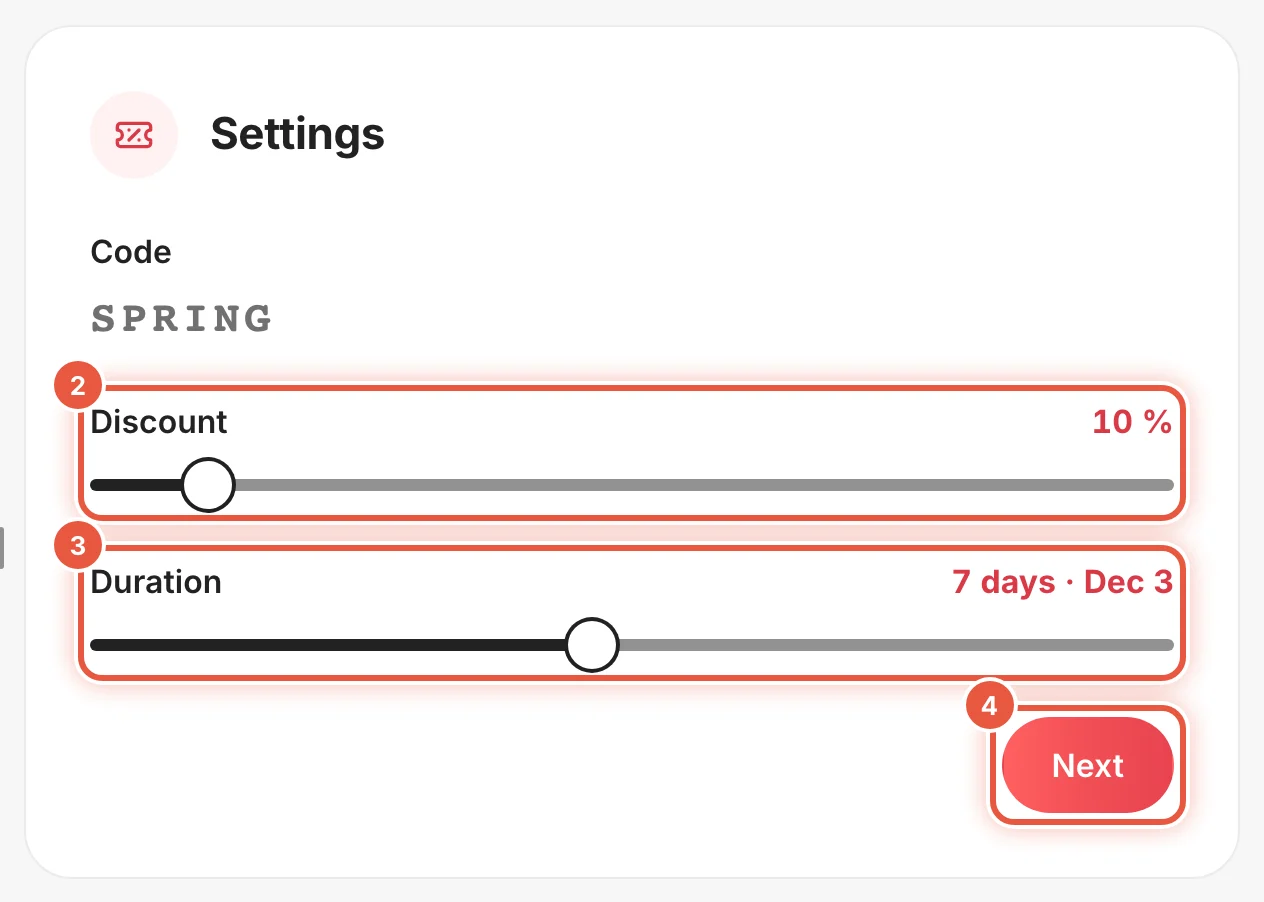
- Acuolina makes the Code for you. Set the Discount, from 1 to 100%: it's a percent off code on the whole order.
- Set the Duration, from 1 to 14 days. The end date beside it is the coupon expiry.
- Select Next and confirm with Yes.
Share your coupon
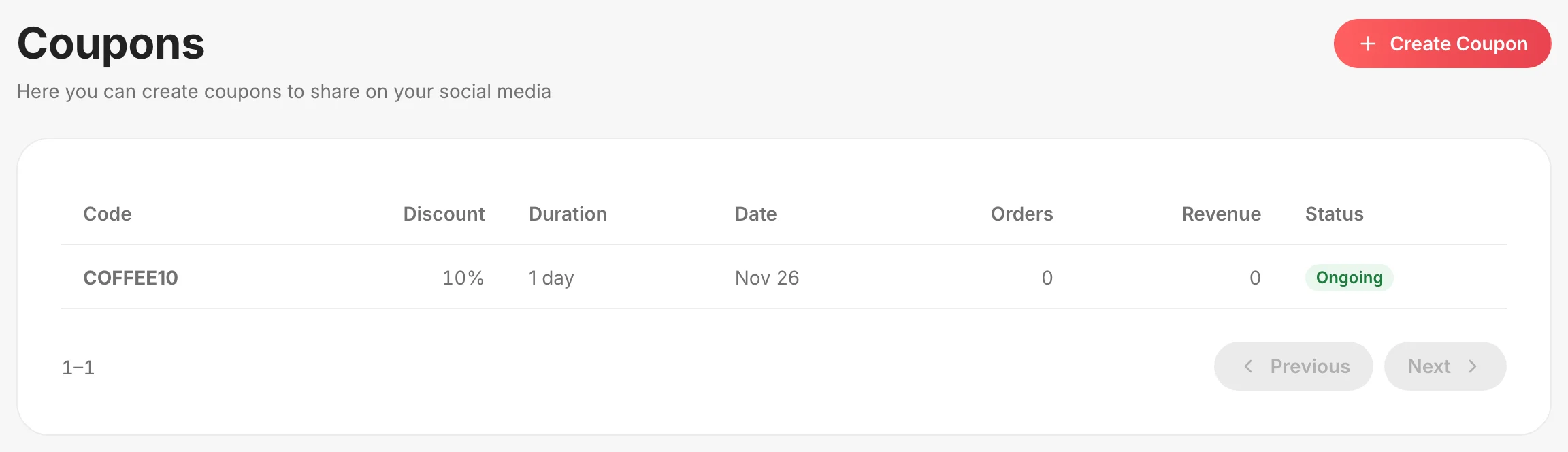
The new coupon shows in the list with its code and whether it's still running. Share the code on social media, on a flyer or at the counter. Guests type it at checkout on your menu and see the discount in their total; each customer can use it once.
A coupon is a code you hand out. To send a discount straight to your customers, see How to send a discount by SMS or email; to cut an item's price for everyone without a code, see How to put an item on promotion. More on the SMS and email marketing page.