
Here's how to put an item on promotion: a lower price every guest sees on your menu, with no code to type, on every plan.
Put an item on promotion
- In the sidebar, select Promotions, then New promotion, and pick an item from the list.
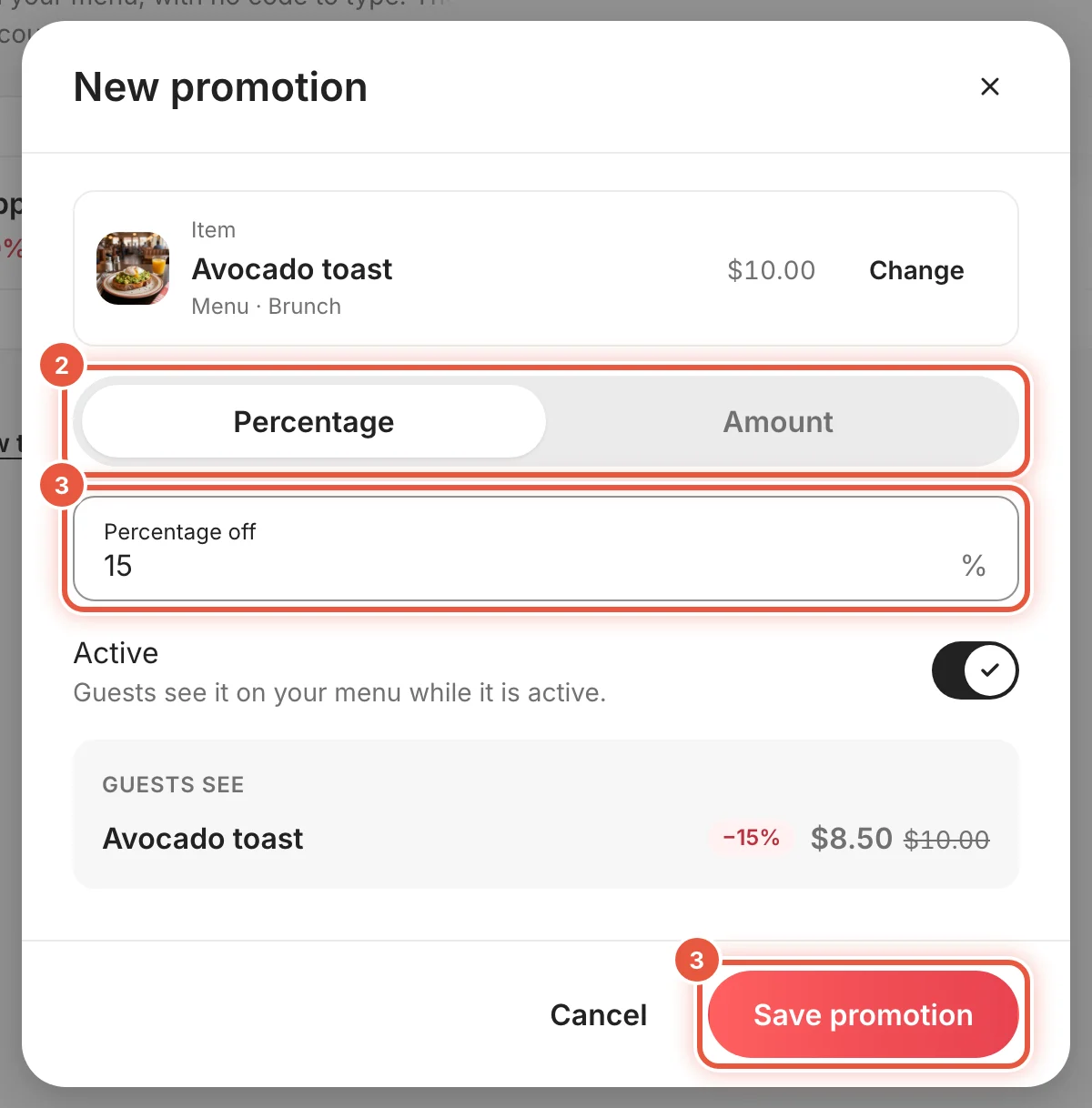
- Under Discount type, choose Percentage or Amount.
- Type the item discount, from 1 to 100%, or an amount below the item's price, and select Save promotion. Guests see shows the new price before you save.
You can also open an item in your menu and select Add discount under its price.
The price drop on the menu
Your menu shows the new price with the old one struck through and a badge such as −20%, and the cart takes the discount off the item's price; options keep their own price. Each item has one discount: picking an item that has one opens it to edit.
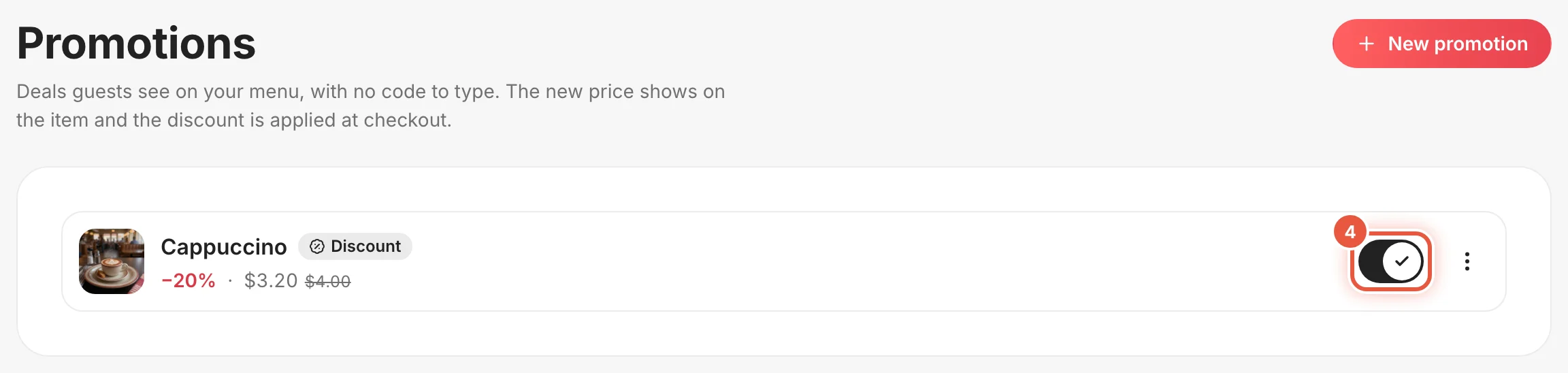
- To pause a promotion, turn off its switch in the list. Turn it on again any time, or delete it from its ⋮ menu.
To give a discount only to the customers you choose, use a coupon code instead. See every marketing tool on the SMS and email marketing page.