
Here's how to send a discount by SMS or email to everyone in your customer list: a marketing campaign that wins back customers in a few clicks.
Start a marketing campaign
- In the sidebar, select Marketing, then New Campaign.
Send a discount by SMS or email
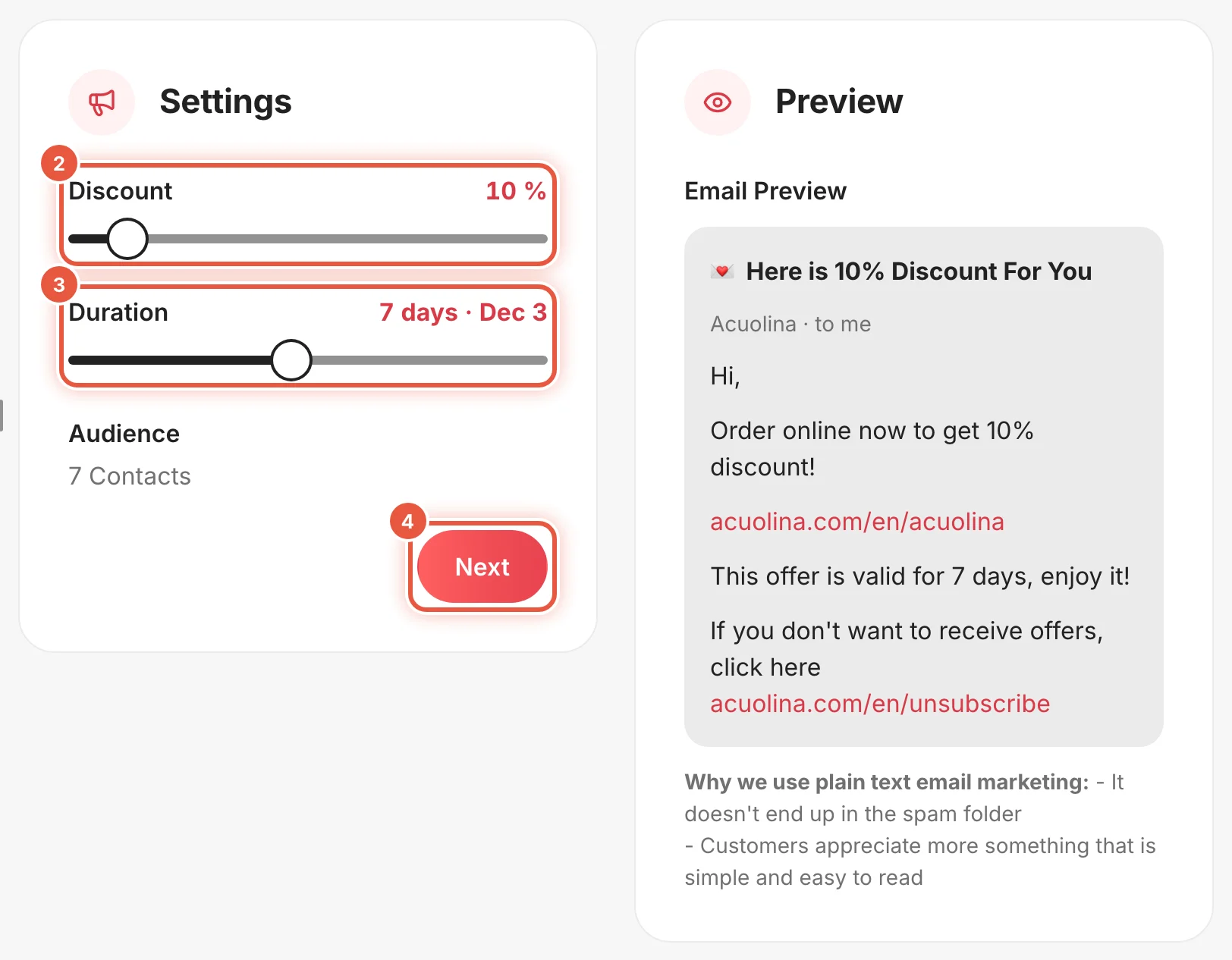
- Set the Discount, from 1 to 100%.
- Set the Duration, from 1 to 14 days; the end date shows beside it. Under Audience you see how many customers will get it.
- If your store can send SMS, choose Email or SMS under Campaign Type. Check the message in Preview, then select Next and confirm with Yes.
Each customer gets a message with a link to your menu; when they order through it, the discount comes off their order, once per customer. Every message has an unsubscribe link.
Win back customers
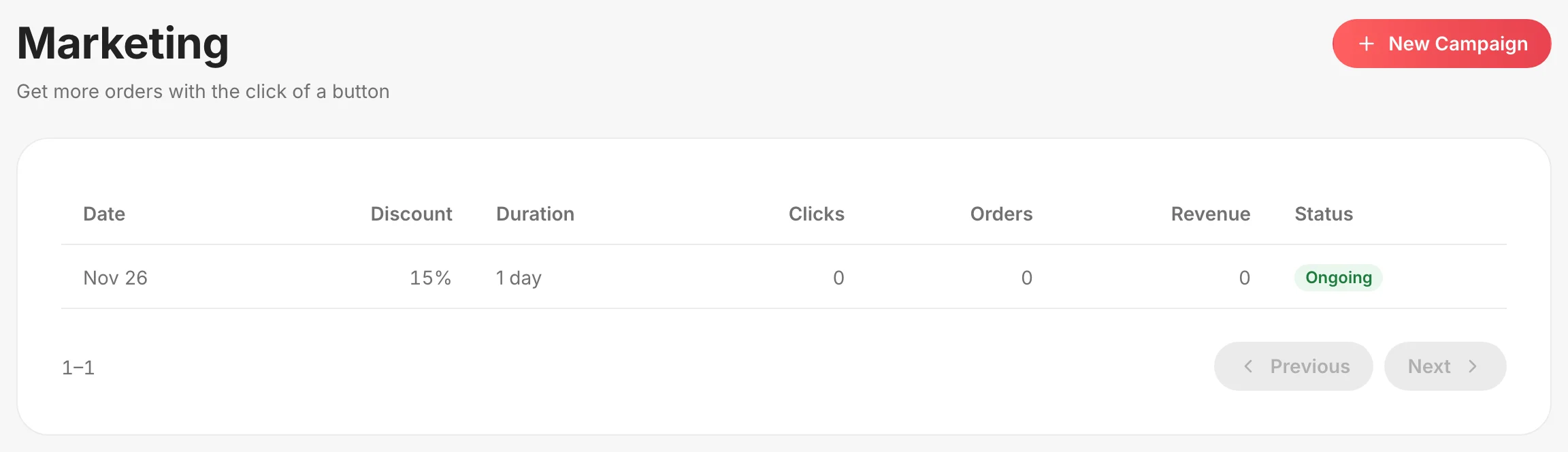
The list shows every campaign you've sent, with its discount, clicks, orders, revenue and whether it's still running.
Send one campaign at a time: a new email or SMS campaign can start once the last one of its type has ended. A short duration, such as 3 days, gets guests ordering sooner. More ideas on the SMS and email marketing page.