
Here's how to see your customers: everyone who has ordered from your store, with their phone, email and orders, on every plan.
Find someone in your customer list
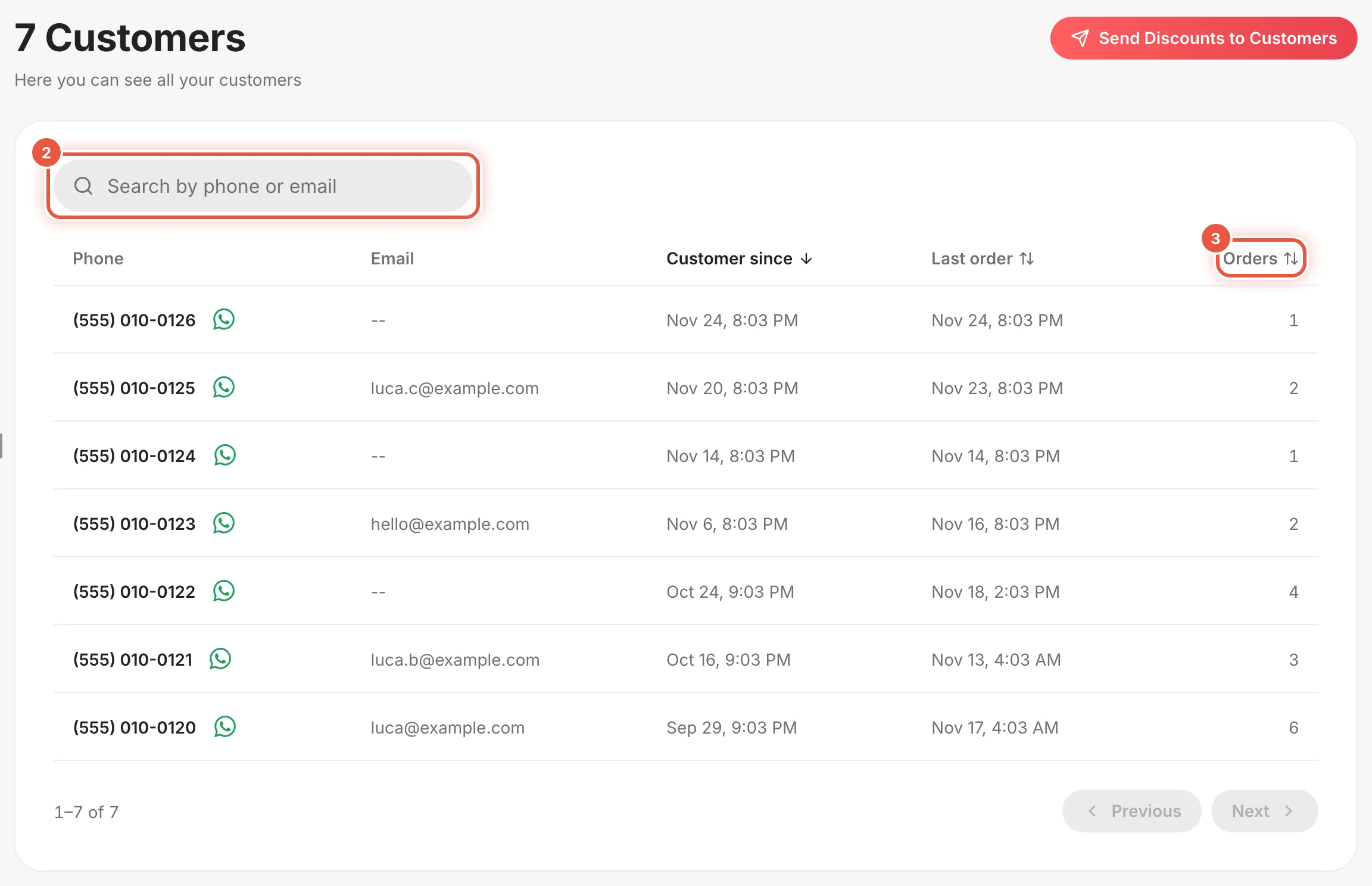
- In the sidebar, select Customers. The title shows how many customers you have.
- Type a phone number or an email in Search by phone or email.
- Select a column title to sort: Customer since, Last order or Orders.
Guests join the list on their own when they send an order with their phone or email, so there is nothing to import.
Spot your repeat customers
Sort by Orders to put your repeat customers first, and by Last order to see who hasn't been back for a while. Those are the guests worth a discount: see How to send a discount by SMS or email.
Open a customer's orders
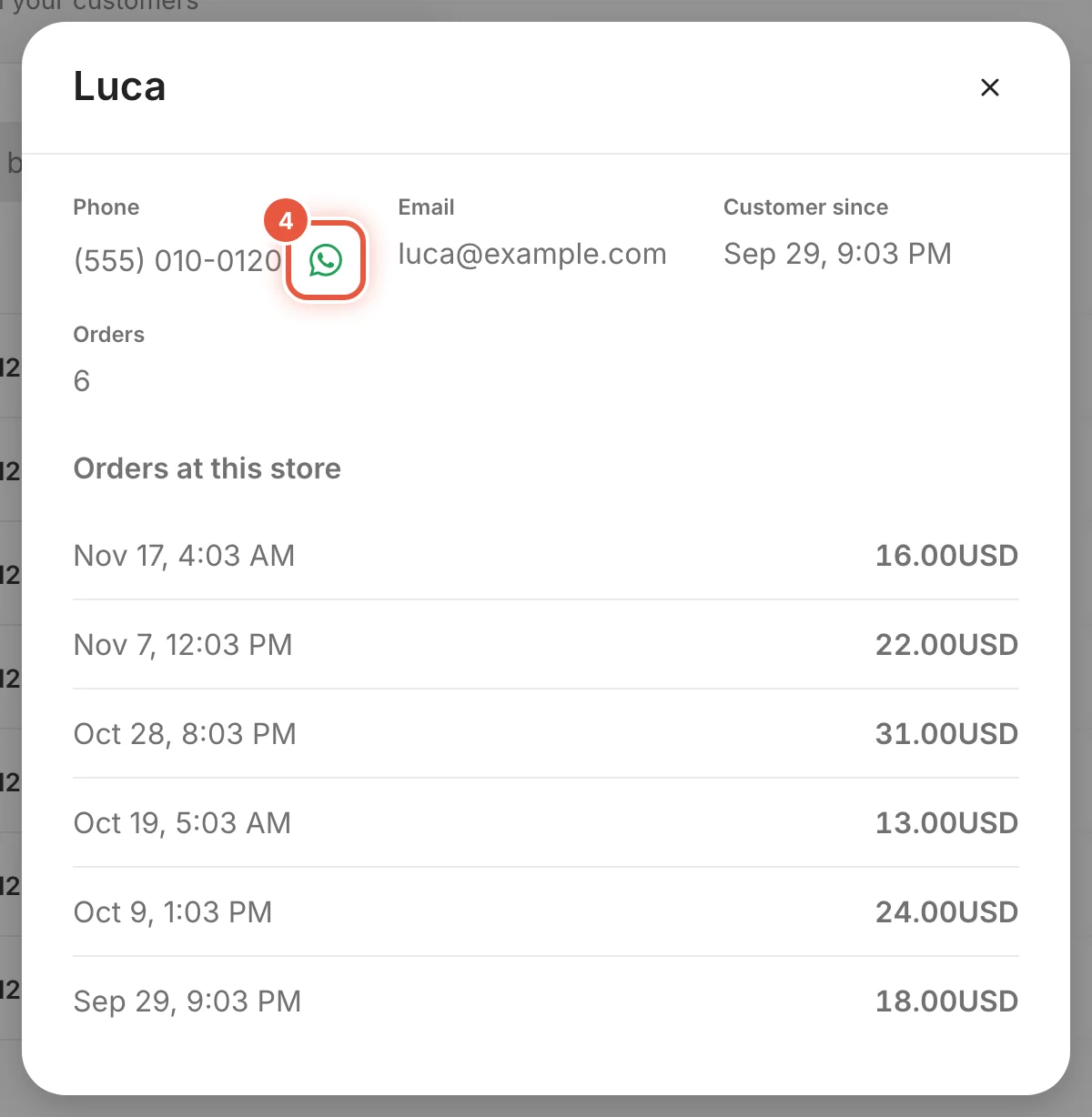
- Select a customer's phone number or row to open their details and every order they placed at your store, newest first.
- Select the chat icon next to their phone to message them on WhatsApp (or by SMS in the US).
More on what you can do with this list on the customer database page.