
QR Code Table Ordering: How It Works and Costs
How QR code ordering at the table works, from scan to kitchen, what it costs compared with waiters and kiosks, and how to roll it out without losing guests.
In this article
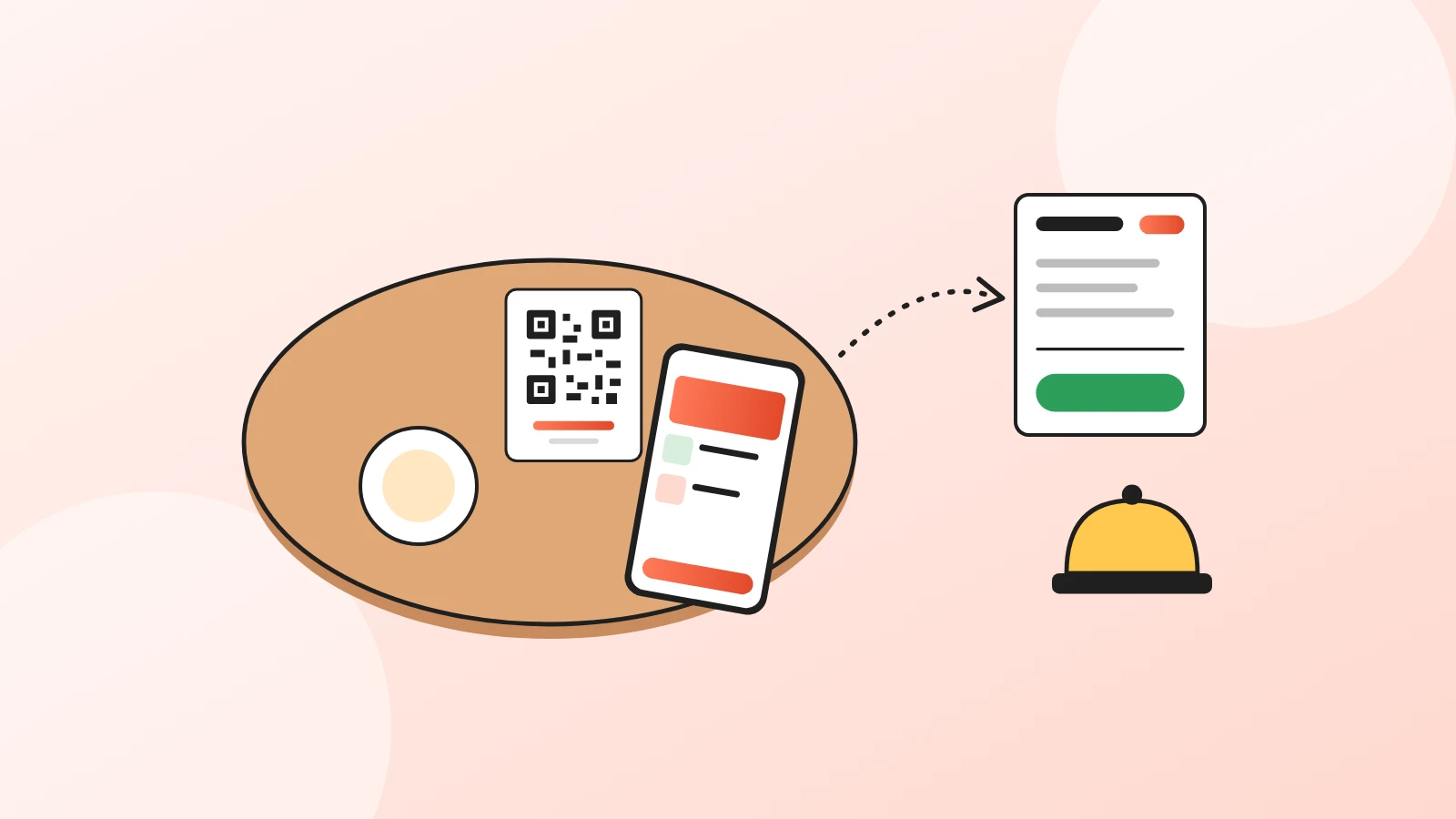
QR code table ordering lets guests order from their own phone: they scan the code on the table, add dishes to a cart and send the order, which reaches the kitchen or the bar without a waiter writing it down. Staff still serve the food; they just stop running back and forth to take orders.
It costs far less than self-service kiosks, needs no hardware, and works best as an option next to your waiters rather than instead of them. Here's how it works and how to roll it out.
Is QR table ordering right for your restaurant?
The short answer, before the detail:
- Yes, if you're busy at peaks and guests wait to order, or order a second round only when someone passes by.
- Yes, for cafés, bars, beach clubs, hotel rooms and terraces where tables are spread out.
- Maybe, for fine dining: ordering is part of the experience there.
- Always keep a way to order in person, and a few paper menus.
Table ordering is one use of a digital menu; if you don't have one yet, start there.
How does QR code table ordering work, step by step?
- The guest scans the code on the table card with the phone camera. The menu opens in the browser, no app.
- They browse and add dishes to a cart, with notes and options.
- They confirm the table. Either the code already carries the table number, or the guest types it in at checkout.
- They send the order. It arrives where your team will see it: a live orders dashboard, a kitchen printer, WhatsApp or SMS.
- Staff prepare and serve as usual, then take payment at the till or the table, unless guests already paid online.
With Acuolina, you turn on dine-in in the ordering settings, choose the fields guests fill in (such as "Table"), and choose how orders reach you: the orders dashboard, WhatsApp, SMS or email. There's no commission per order.
How does it compare with waiters and kiosks?
| Waiter takes the order | QR code at the table | Self-service kiosk | |
|---|---|---|---|
| Hardware | Notepad or handheld | None: printed codes | A touchscreen per kiosk |
| Guest waits to order | Until a waiter is free | No | Queues at busy times |
| Second round | When a waiter passes | Any time, from the phone | Guest walks back to the kiosk |
| Language | The waiter's | The guest's phone language, if the menu supports it | Usually a few languages |
| Best for | Fine dining, older guests | Casual dining, bars, terraces | Fast food, counters |
| Running cost | Staff time | Free to a monthly plan | Hardware, software and maintenance |
The numbers depend on your setup, so compare quotes rather than taking any table at face value. The order of costs, though, rarely changes: QR codes are the cheapest way to let guests order without waiting.
Do guests want to order from their phone?
Many do, not all. A 2023 William Blair survey, reported by Restaurant Dive, found 47% of consumers weren't comfortable using QR codes to view menus, order and pay, and 65% of those over 60. Younger guests were far more open to it.
That's the case for offering table ordering, not forcing it:
- Put "Scan to order, or ask us" on the table card, not just "Scan".
- Train staff to take orders in person without a sigh.
- Keep the phone menu fast, with photos, so it's the easy option for those who like it.
One QR code per table, or one for the whole restaurant?
Both work. Pick based on how often you rearrange tables:
| One code per table | One code for the menu | |
|---|---|---|
| Table number | Filled in automatically | Guest types it at checkout |
| Printing | One card per table, labelled | The same card everywhere |
| Moving or merging tables | Cards must follow the table | Nothing to change |
| Wrong-table risk | Low | Guests occasionally type the wrong number |
If you start with one code, put the table number in large print on each card, next to the code, so guests can't miss it. For printing and placement tips, see how to make a QR code menu.
How do you roll it out without chaos?
- Start with one section or one shift, not the whole restaurant on a Saturday.
- Decide who watches incoming orders. One screen or one phone, one person responsible.
- Mark dishes that are sold out in the menu before service, so nobody orders what you don't have.
- Check prices and allergens on the phone menu; guests trust it as much as the paper one.
- Ask for feedback after the first week and adjust the table card wording.
What does it cost?
The menu and the codes can be free: our comparison of free QR code menus lists what each free plan includes, including order caps. Paid plans add reports, printing or payments. If guests pay online, expect a card processing fee per transaction on top.
What table ordering shouldn't cost you is a commission on every order. That belongs to delivery marketplaces, and we explain the difference in commission-free ordering vs delivery apps.
See what each Acuolina plan includes on the pricing page, start for free, or read more QR menu guides on the Acuolina blog.
Frequently asked questions
How does QR code table ordering work?
The guest scans the code on the table, browses the menu on their phone, adds dishes to a cart, enters or confirms the table number and sends the order. It reaches the restaurant on a dashboard, a printer, WhatsApp or SMS, and staff prepare and serve it as usual.
Do I need a different QR code for each table?
Not necessarily. Some systems print one code per table so the table number is filled in automatically. Others, Acuolina included, use one code for the menu and ask the guest for the table number at checkout, which is simpler to print and replace.
Does table ordering replace waiters?
No. It takes the order-taking trips off their hands, so they spend more time serving, clearing and selling. Guests who prefer to order in person should always be able to.
Can guests pay from the table with a QR code?
Some systems include payment at the table, usually with a card processing fee per transaction. Others, including Acuolina, take the order and leave payment to your usual till or card terminal.
How much does a QR table ordering system cost?
From free to a monthly subscription, plus card processing fees if guests pay online. It is far cheaper than self-service kiosks, which need hardware for every screen.
Is QR table ordering good for every restaurant?
It suits busy casual restaurants, cafés, bars, beach clubs and hotels best. Fine dining, where ordering is part of the service, usually keeps it for drinks refills or not at all.
Keep reading
QR menus
Digital Menu for Restaurants: The 2026 Guide
What a digital menu is, what it costs, how it differs from menu screens, and how to set one up with QR codes and commission-free ordering.
QR menus
QR Code Menu: How to Make One in 6 Steps (2026)
How to make a QR code menu in 6 steps: what to put on it, where to place the code, the mistakes that send guests back to paper, and how to take orders.
QR menus
Free QR Code Menu: 5 Options Compared (2026)
What free QR code menu plans really include in 2026, from order caps to missing features and commissions, compared side by side with their sources.
Your first direct order, tonight.
Create your menu in minutes and get every Chef feature free for 14 days. Then stay on Basic for free, or upgrade.