
Here's how the free plan and trial work in Acuolina, what Chef adds, and how to upgrade, manage or cancel your subscription. Every plan is commission-free.
The free plan and trial
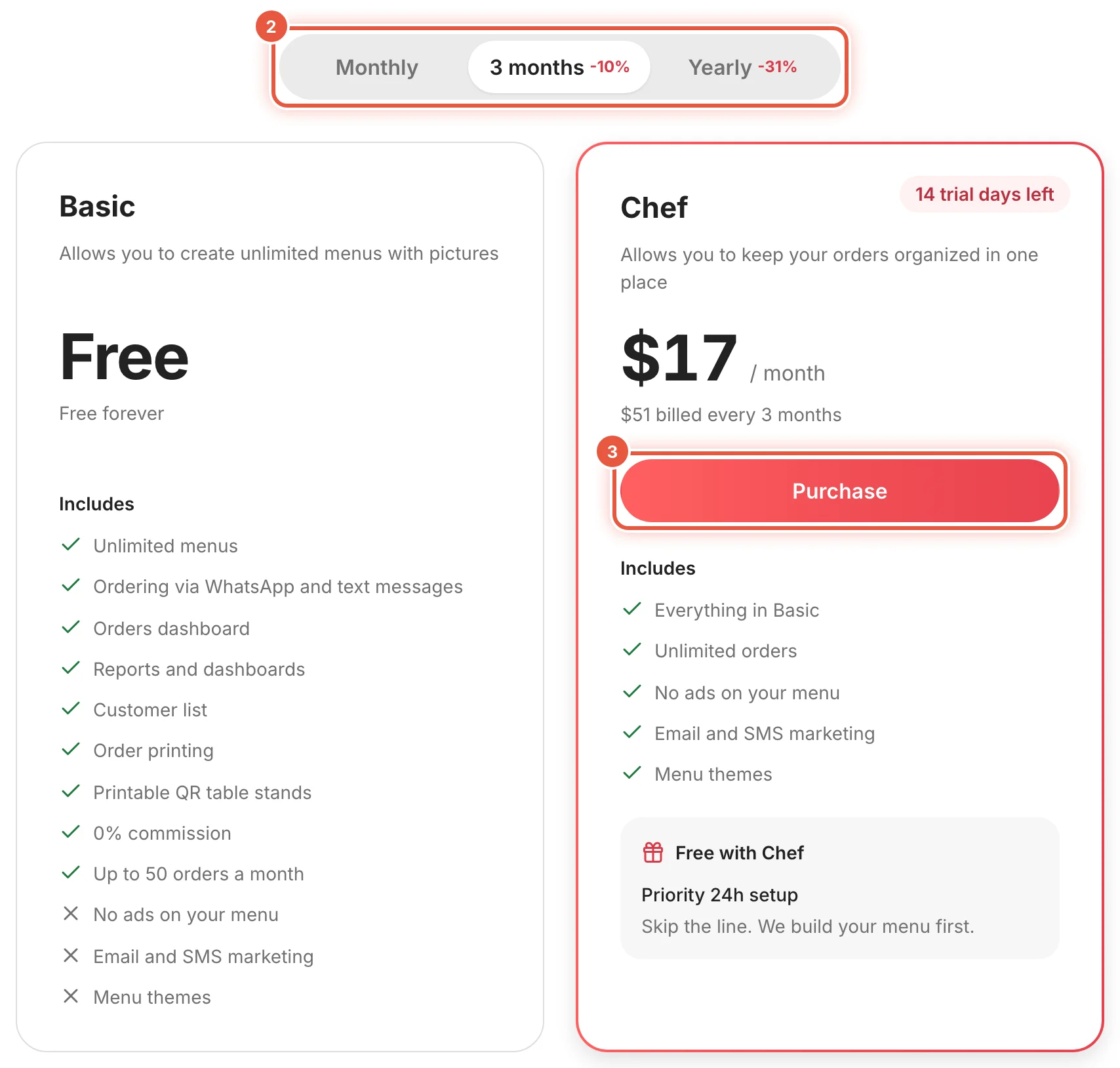
The free plan is called Basic in the dashboard. It's free forever, with unlimited menus, ordering via WhatsApp and text messages, the orders dashboard, reports, your customer list, order printing and printable QR table stands. Two things set it apart:
- Monthly order limit: up to 50 orders per calendar month, from every channel. Home shows how many are left as you get close. At 50, your menu stays online and new orders pause until the 1st of next month.
- Ads: Google ads show on your public menu.
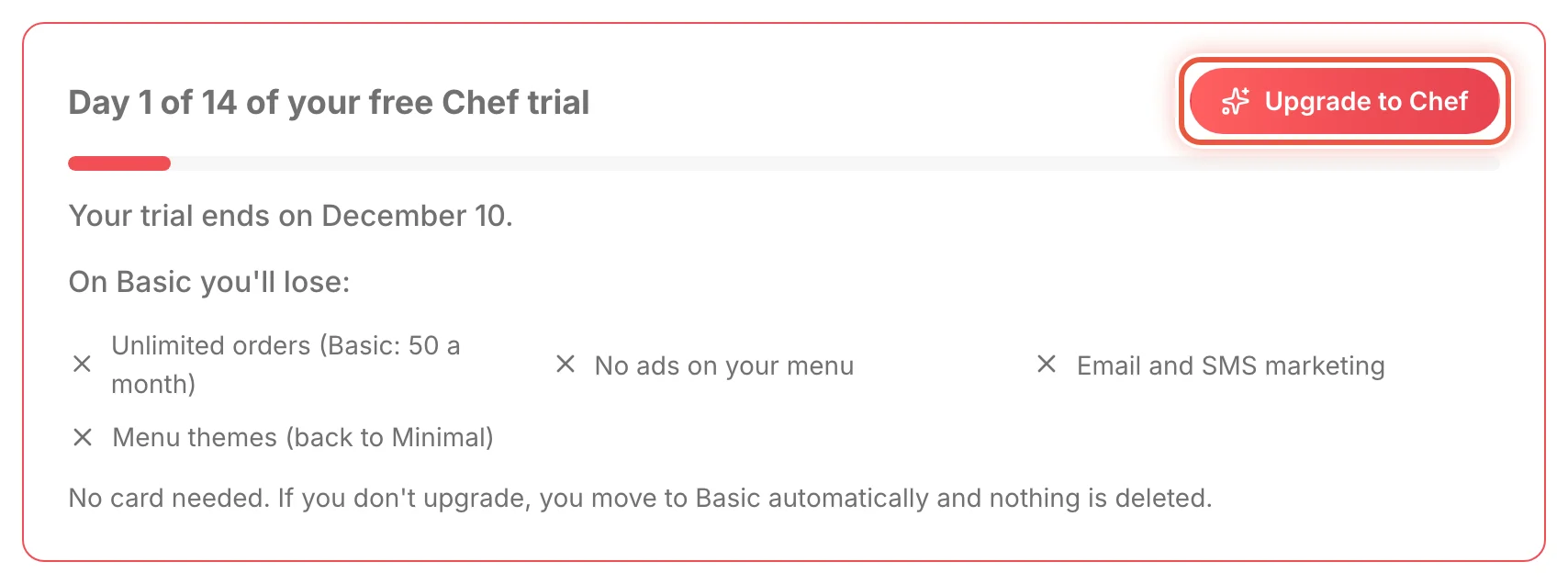
Every new store gets a 14-day free trial of Chef when it finishes setup without paying. No card is needed. If you don't upgrade, the store moves to Basic by itself and nothing is deleted.
What Chef adds
Chef has unlimited orders, no ads on your menu, email and SMS marketing campaigns and menu themes. See the prices on the pricing page.
Upgrade to Chef
- Select your picture at the top right, then Account, then the Subscription tab. On Basic, the Upgrade button at the top of the dashboard opens the same tab.
- Pick a billing period: monthly, every 3 months or yearly.
- On the Chef card, select Purchase and pay on Stripe's secure page.
During the trial, Upgrade to Chef on the trial panel leads to the same cards. Upgrading during the trial doesn't cut it short: the first payment is taken when the trial ends.
Manage or cancel your subscription
On the Subscription tab, select Manage billing to change your card, switch the billing period or cancel the subscription. After you cancel, Chef runs until the end of the period you paid for, then the store goes back to Basic with all its menus and items.