
Here's how to see which items guests look at on your menu, even the ones they don't order, on every plan.
Open your menu views
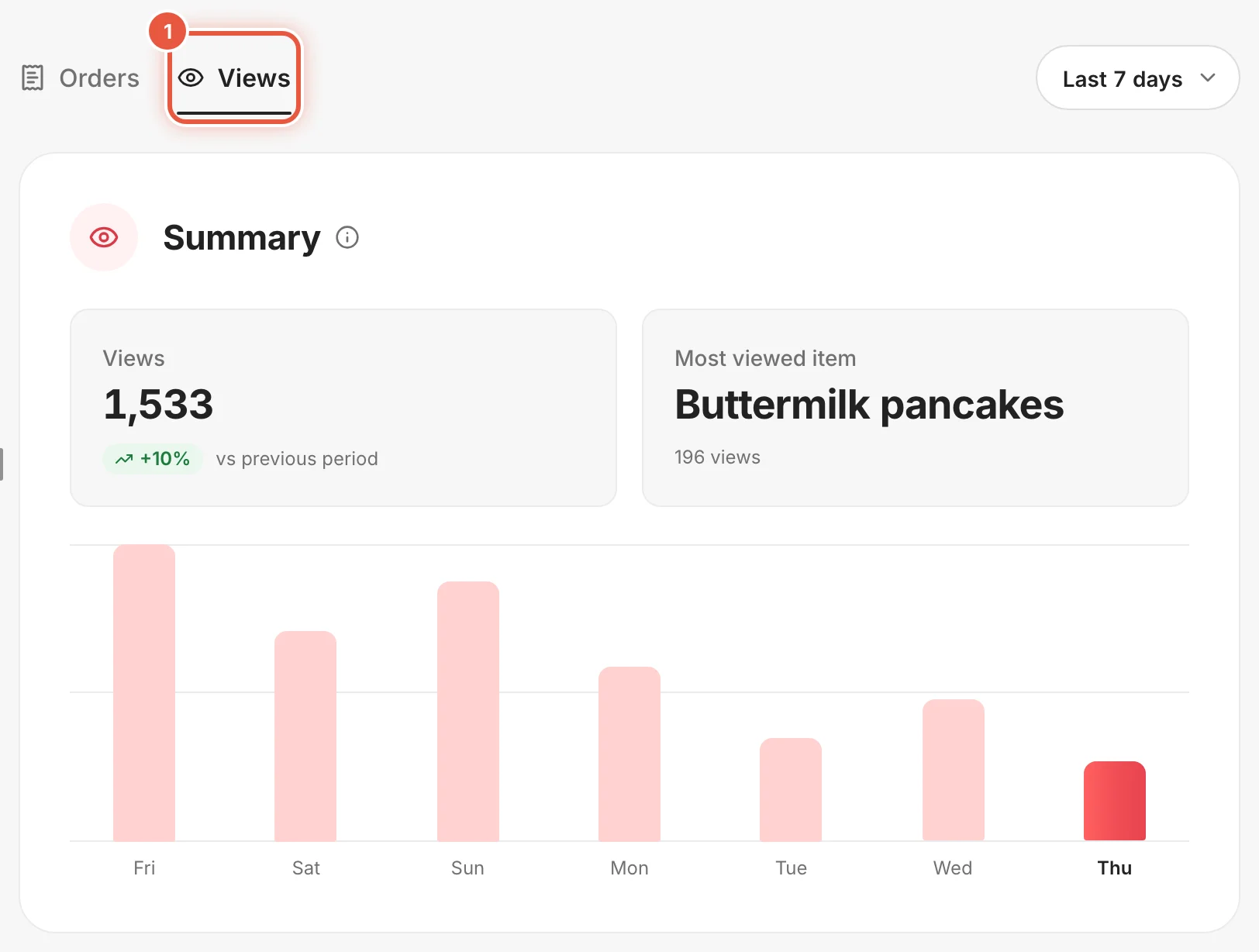
- In the sidebar, select Report, then the Views tab. Pick the period as on the sales report.
Views is how many times guests opened your items, with the change against the period before, and Most viewed item is the one they opened most. The bars show your menu views per day.
A view counts once per item per visit. Your own visits while signed in, and search engine bots, don't count.
Follow your item trends
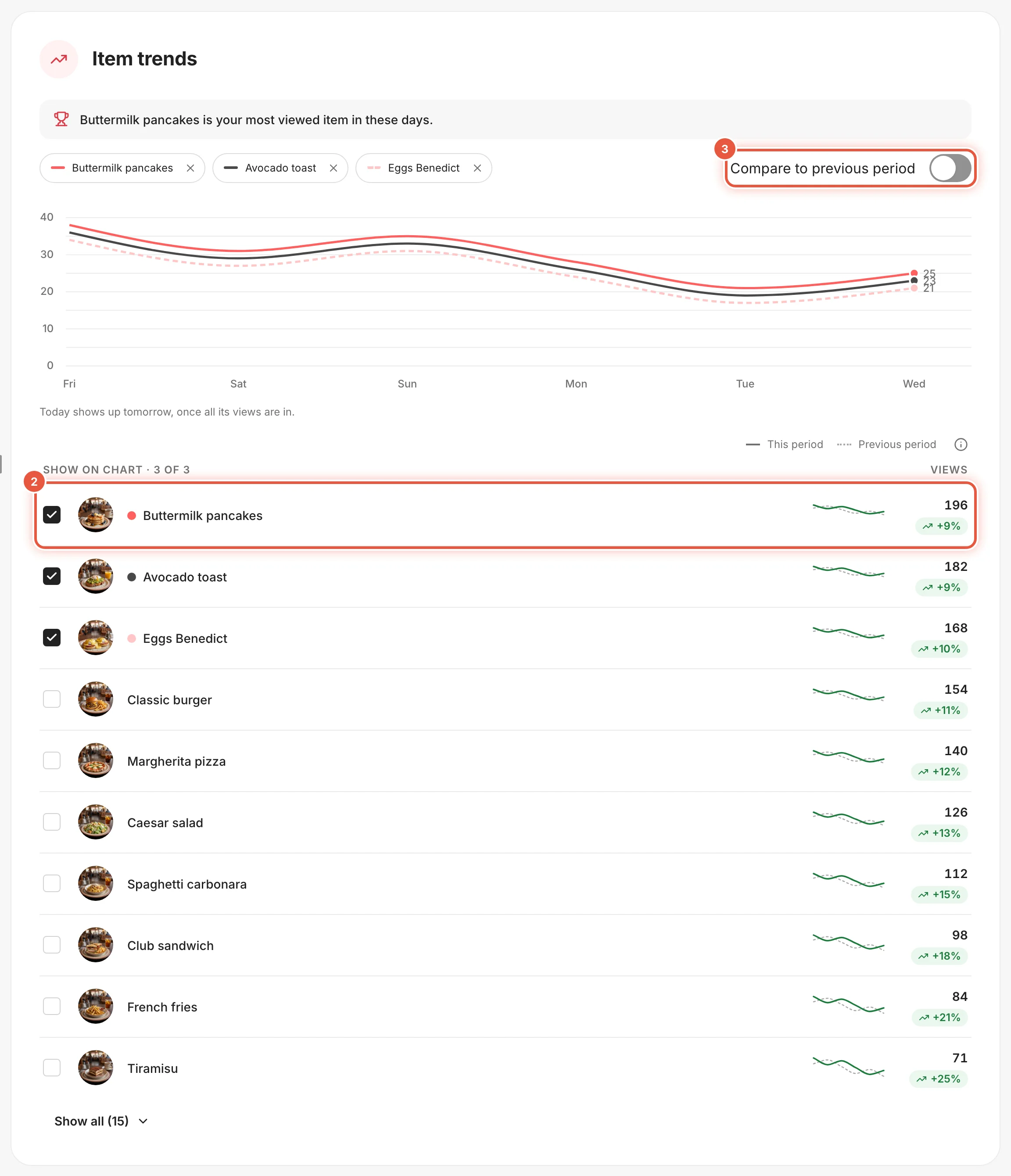
- Under Item trends, tick up to three items in the list to draw them on the chart. Each row shows the item's views, a small trend line and its change.
- Turn on Compare to previous period to add the days before as dotted lines.
Today shows up tomorrow, once all its views are in. An item many guests look at but few order may need a better photo or a promotion.
The views card on your home page
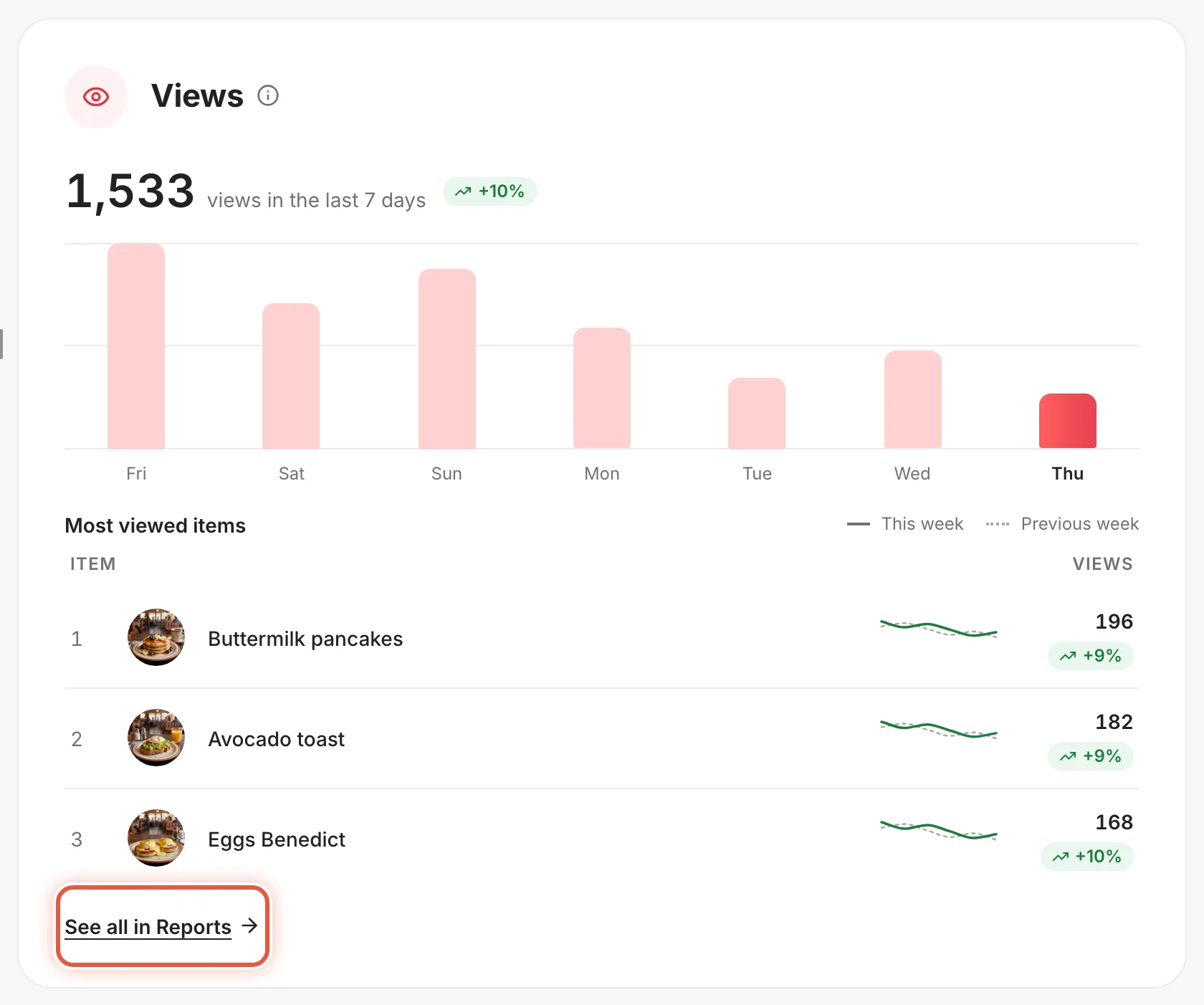
Your home page shows the last 7 days and your three most viewed items. See all in Reports opens the Views tab. More on the sales reports page.