
Menu not showing to your guests? Usually it's unpublished or hidden. Check these in order.
Menu not showing: publish it
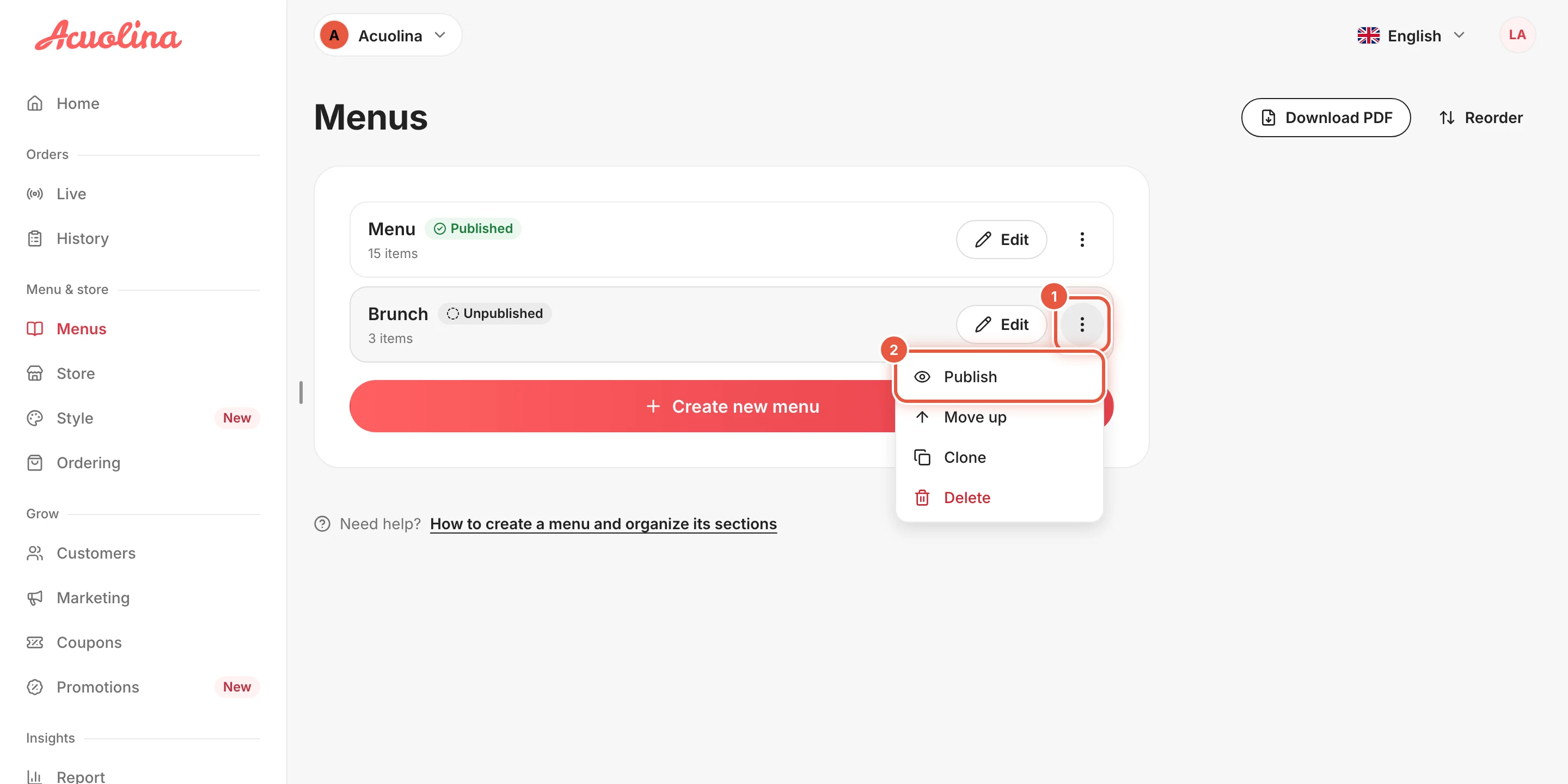
- In Menus, find a menu marked Unpublished and open its ⋮.
- Select Publish. It now shows as Published and guests see it.
Show hidden sections and items
Open the menu with Edit. A section or item marked Hidden is left out of your menu: open its options and select Show.
Open your menu link
If the QR code shows no menu or the menu link isn't working, open Home and select View Result: that's what guests see. A QR code printed from another tool may point to an old link: print the one on Home. See how to share your menu with a QR code.
More about your QR code menu.