
Not receiving orders? Check these in order, then send a test order from your own menu.
Not receiving orders on WhatsApp or Live
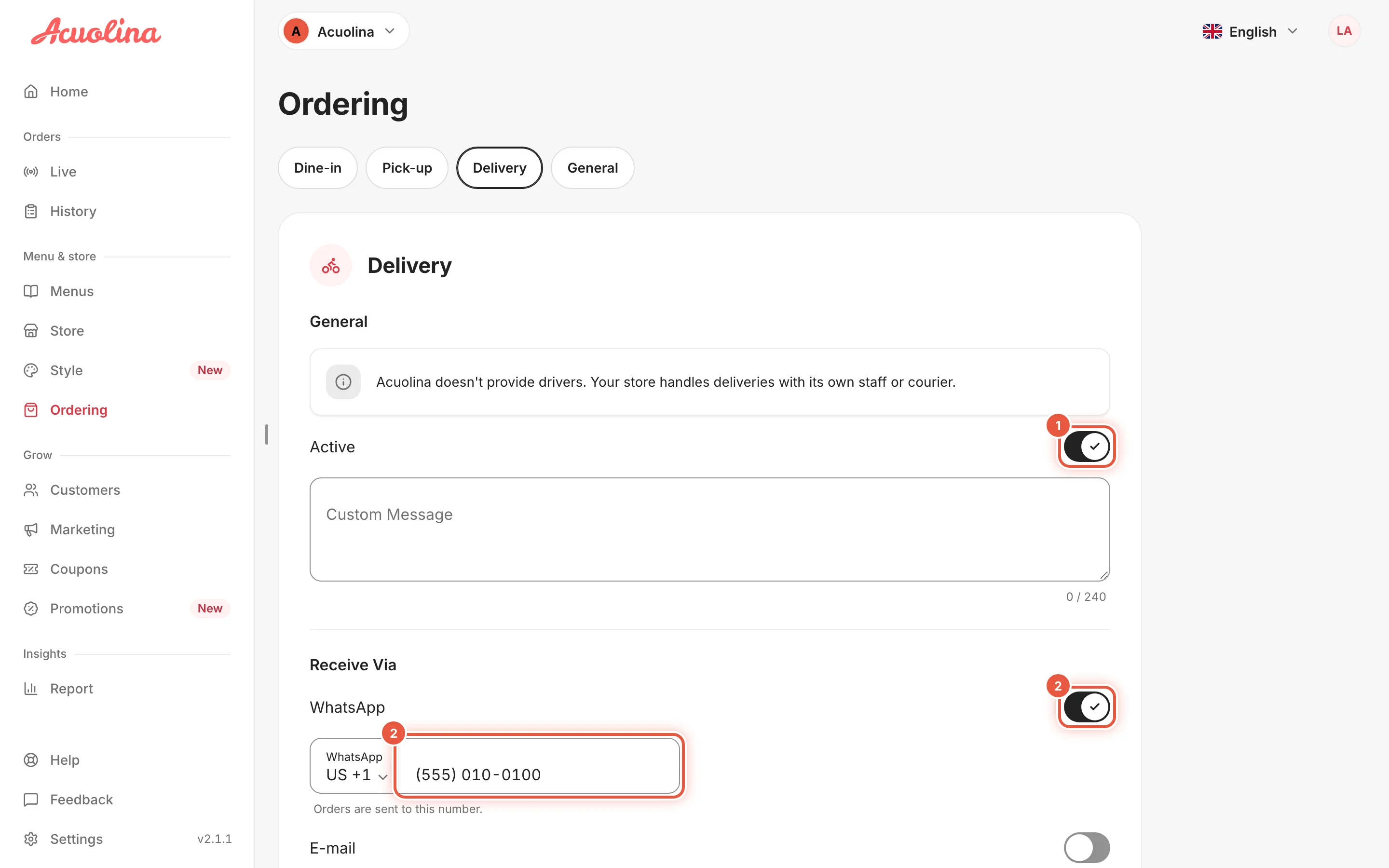
- Is ordering turned off? In Ordering, open each tab (Dine-in, Pick-up, Delivery) and check Active is on.
- Are orders not on WhatsApp? Under Receive Via, check WhatsApp is on and the number is yours, with its country code. The order reaches WhatsApp only once the guest sends the message their phone opens.
- Is the store closed? With opening hours on, guests see "The restaurant is closed right now. You can order during its opening hours." Check them in Store.
Every order also lands on Live, whatever the channel.
The monthly order limit
On the Free plan, after 50 orders in a month guests can't send more and you see "Monthly order limit reached. New orders are paused until next month." Chef and the free trial have no limit.
See how to take orders on WhatsApp and more on WhatsApp ordering.