
Here's how to add an order by hand, for phone orders and walk-in orders, so it sits on Live with the ones guests send.
Add an order by hand
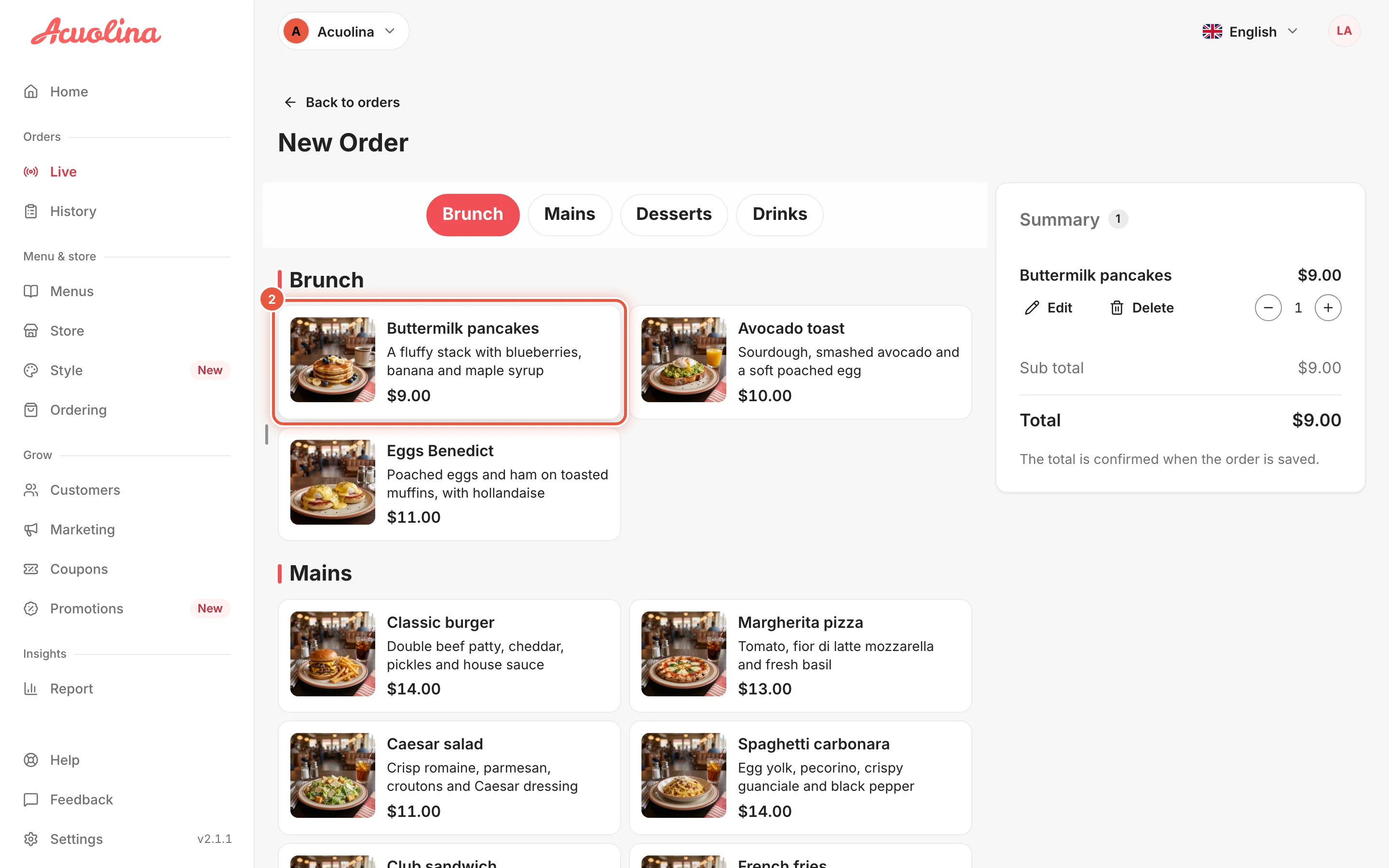
- On Live, select Add order.
- Select the items from your menu. An item with options opens a window to pick them, the quantity and a note.
- Select Review order.
Choose the type and save
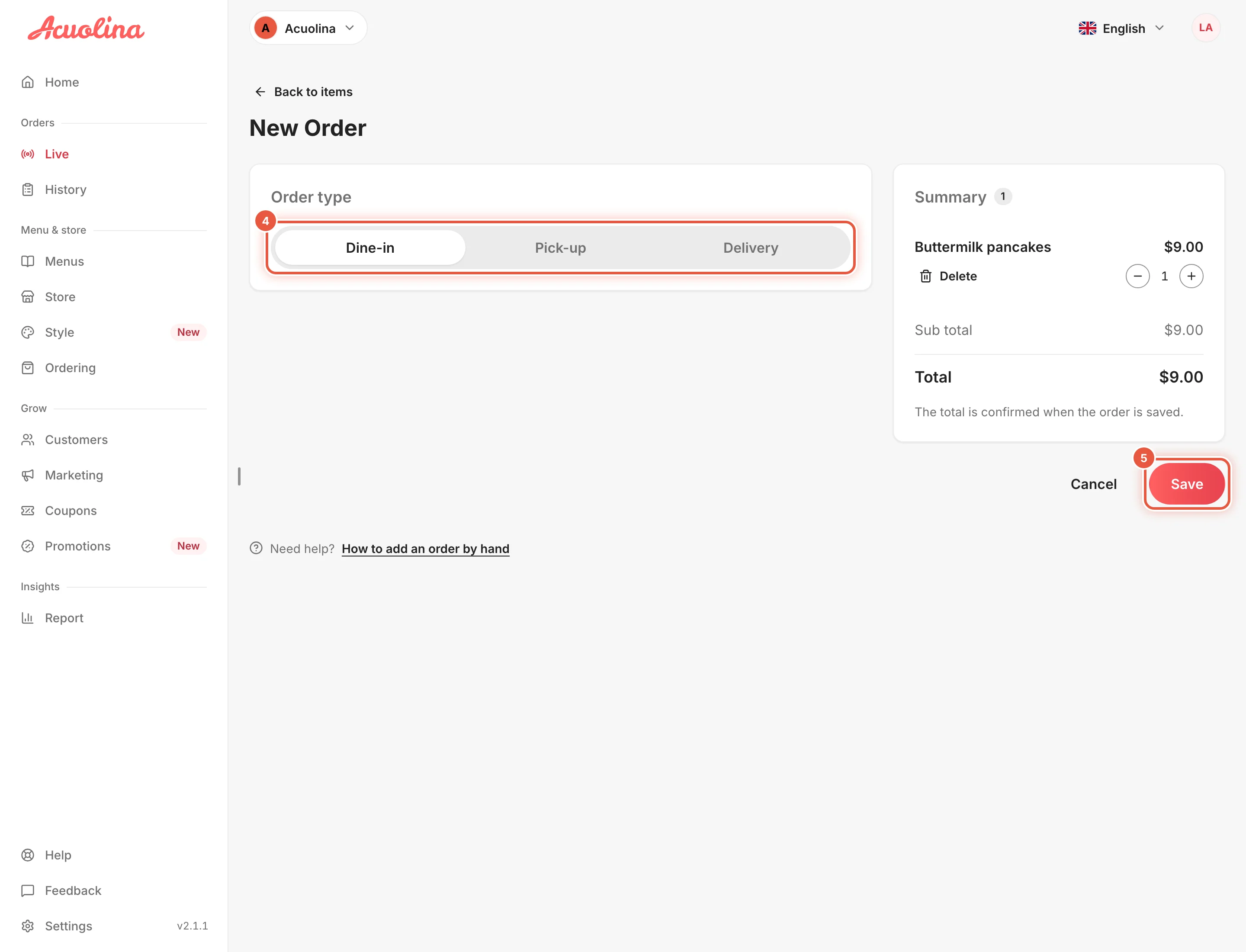
- Choose the Order type and fill in the guest's details, such as the delivery area.
- Select Save.
The order appears on Live under New, priced from your menu, and prints like any other if you print orders automatically. Every order is commission free with online ordering.