
Your receipt printer settings are on the Printing tab of Settings, under each computer's printers.
Choose your receipt printer settings
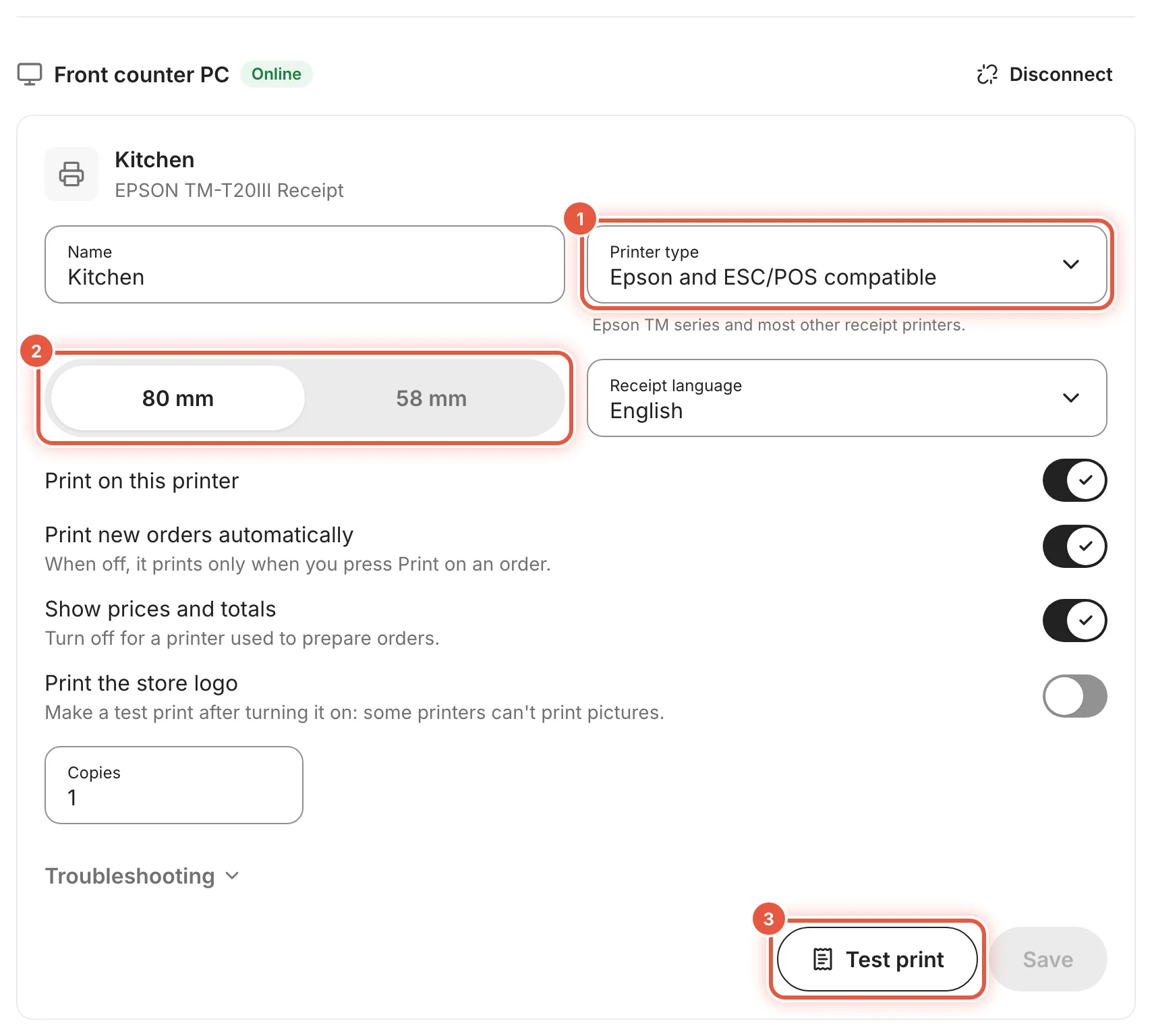
- Pick the Printer type: Epson and ESC/POS printers, Star, Bematech, or Any printer (Windows driver) for the rest.
- Choose the Paper width: 80mm or 58mm paper.
- Select Save, then Test print.
You can also set the Receipt language, Print new orders automatically, Show prices and totals (turn it off for the kitchen), Print the store logo and up to 5 Copies.
If the receipt looks wrong
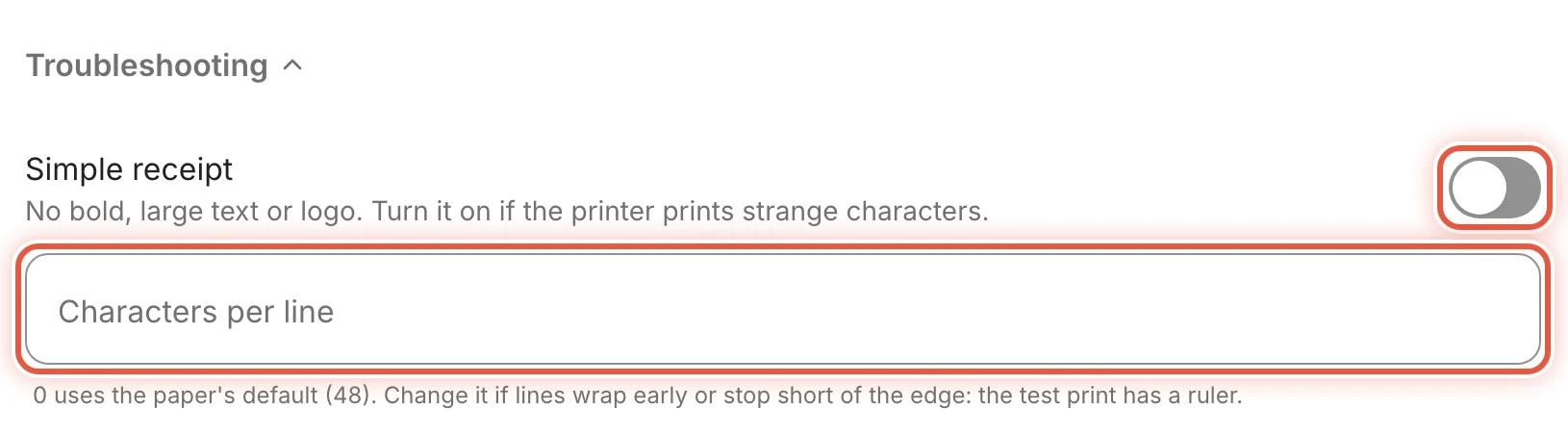
Open Troubleshooting:
- Simple receipt drops bold, large text and the logo, for a printer that prints strange characters.
- Characters per line fixes lines that wrap early or stop short. The test print has a ruler to count them.
See also printer not printing orders and kitchen order printing.