
Here's how to give your menu a dark or light background, so it suits a bar at night or a bright café.
Choose a dark or light background
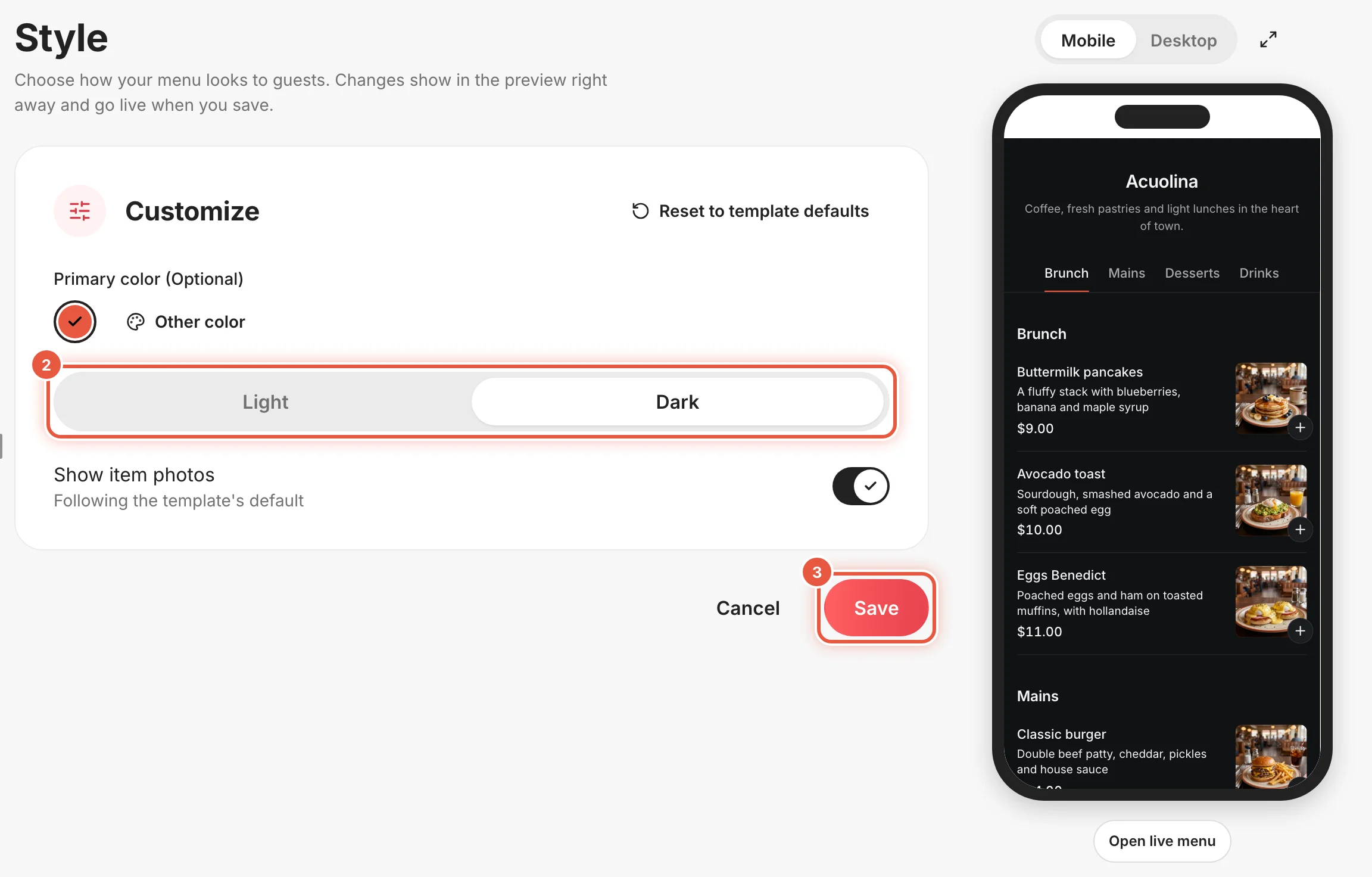
- In the sidebar, select Style.
- Under Customize, next to Background, choose Light or Dark. The preview on the right shows your menu with that background colour right away.
- Select Save and your QR code menu changes at once.
How a dark mode menu looks
A dark mode menu keeps your items, photos and prices, with light text on a dark page. Your brand colour stays on the buttons and prices, so pick one that stands out on both backgrounds: see How to change your menu’s colour.
Every template starts on its own background: Neon is dark, the others are light. Reset to template defaults under Customize goes back to the template's background.