
Here's how to choose a menu template: six menu themes that change how your whole menu looks, tried in a live preview before you save.
Choose a menu template on the Style page
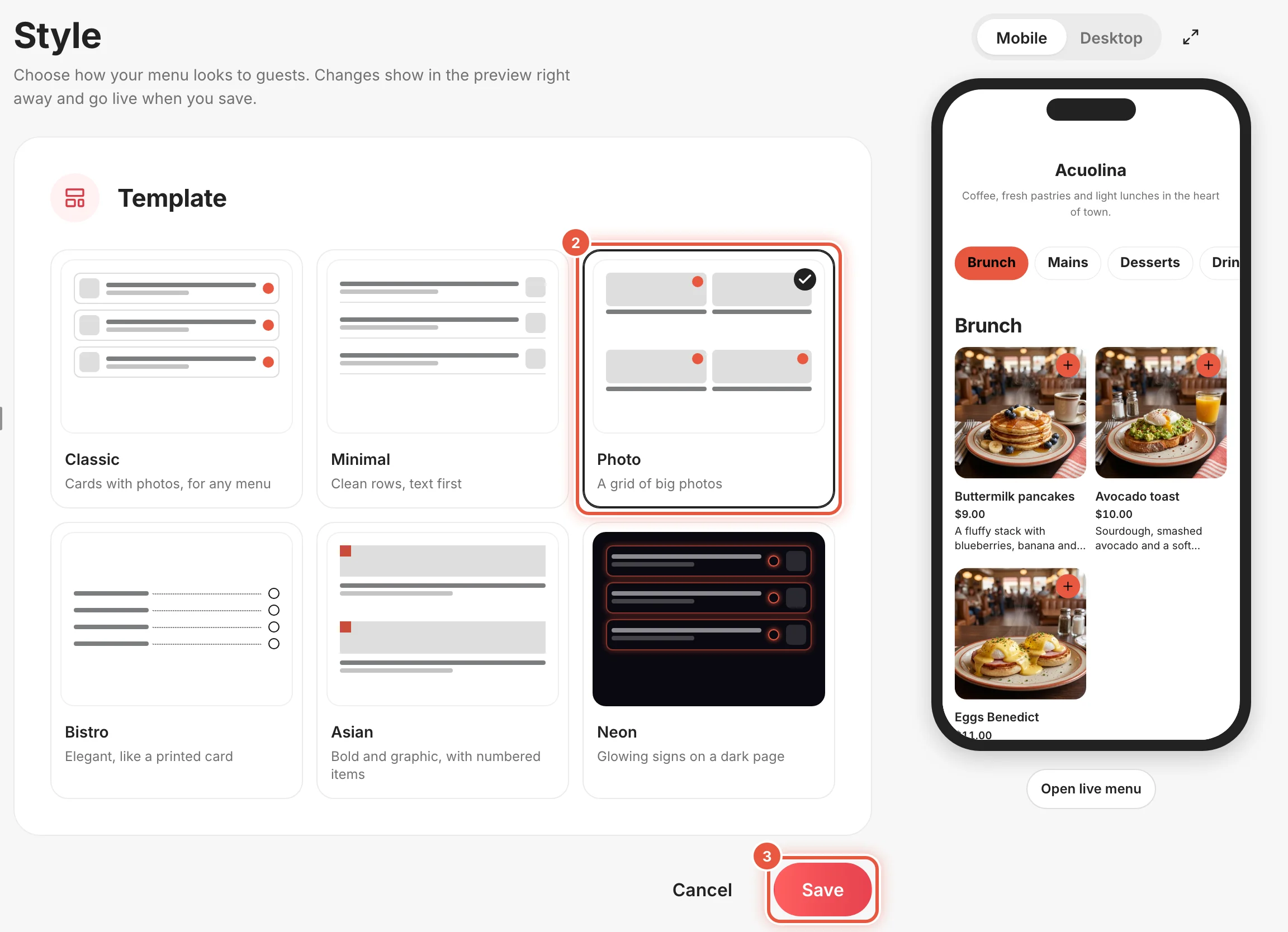
- In the sidebar, select Style.
- Under Template, pick Classic, Minimal, Photo, Bistro, Asian or Neon. The preview on the right redraws your menu at once; switch it between Mobile and Desktop to check both.
- Select Save. Your QR code menu shows the new template straight away, with the same items, prices and link.
Cancel drops a template you haven't saved.
Which menu theme fits your store
- Minimal and Classic are clean lists that suit any menu, long or short.
- Photo and Asian show a grid of photos when at least half of your items have one, and a list otherwise.
- Bistro and Neon give the menu a stronger look, with Neon on a dark background.
Each template comes with its own background and photo choice; you can change both under Customize, as Change your menu design shows.