
You can publish or hide a menu at any time. An unpublished menu stays in your dashboard, but guests don't see it: handy for a seasonal menu you prepare ahead.
Publish or hide a menu
- In Menus, open the menu's ⋮ options.
- Select Publish to show it to guests, or Unpublish to hide it.
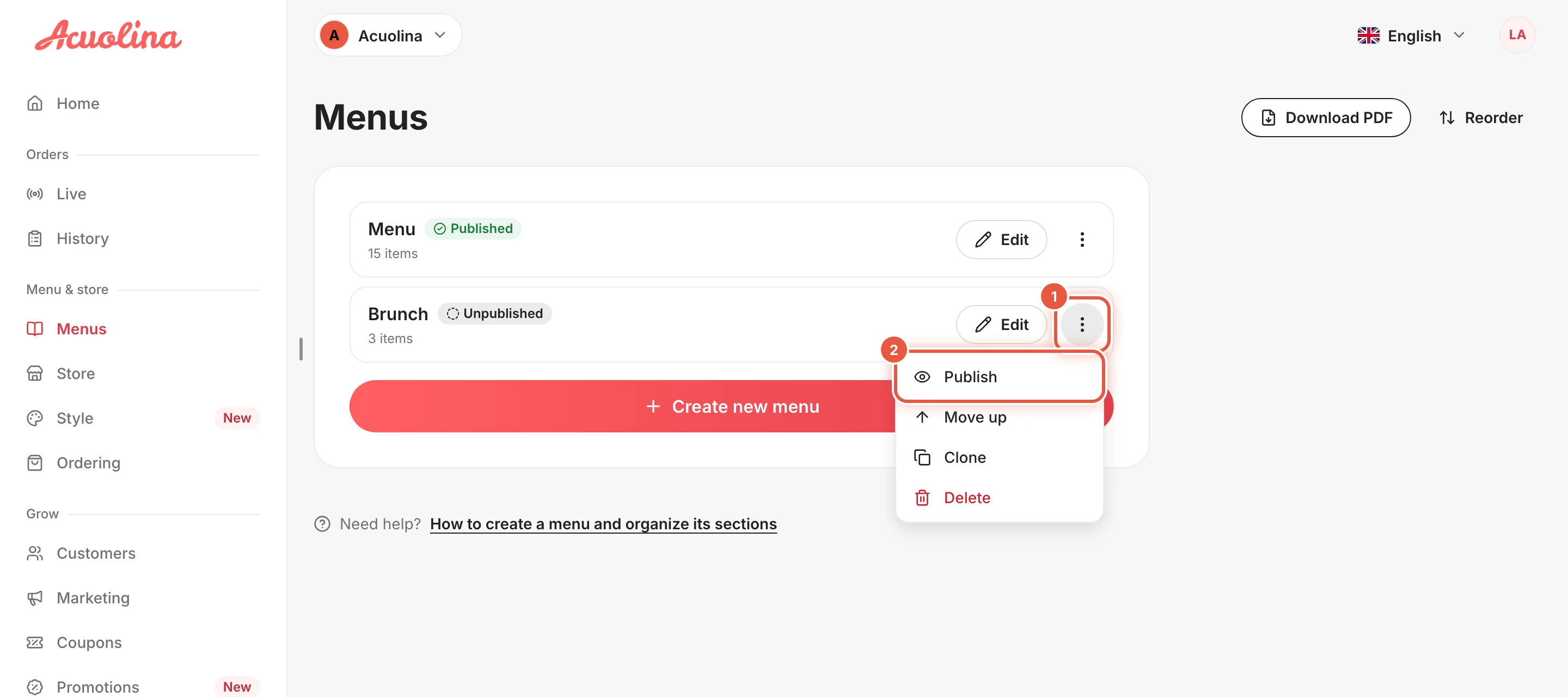
The badge next to its name says Published or Unpublished.
Check a menu before you publish it
Select Edit on the menu. The preview on the right shows it with Unpublished: only you can see this, just as guests will see it once it's live on your QR code menu.
New menus, except your store's first, and copies of a menu start unpublished. To take a single item off the menu instead, hide the item.